
Email & notifications
Yatra sends transactional emails at every important moment — booking confirmation, admin notice, payment receipt, departure reminder, post-trip review request. This page is the practical guide for editing them, making them deliverable, and unlocking multi-step sequences with Pro Email Automation.
The Email hub
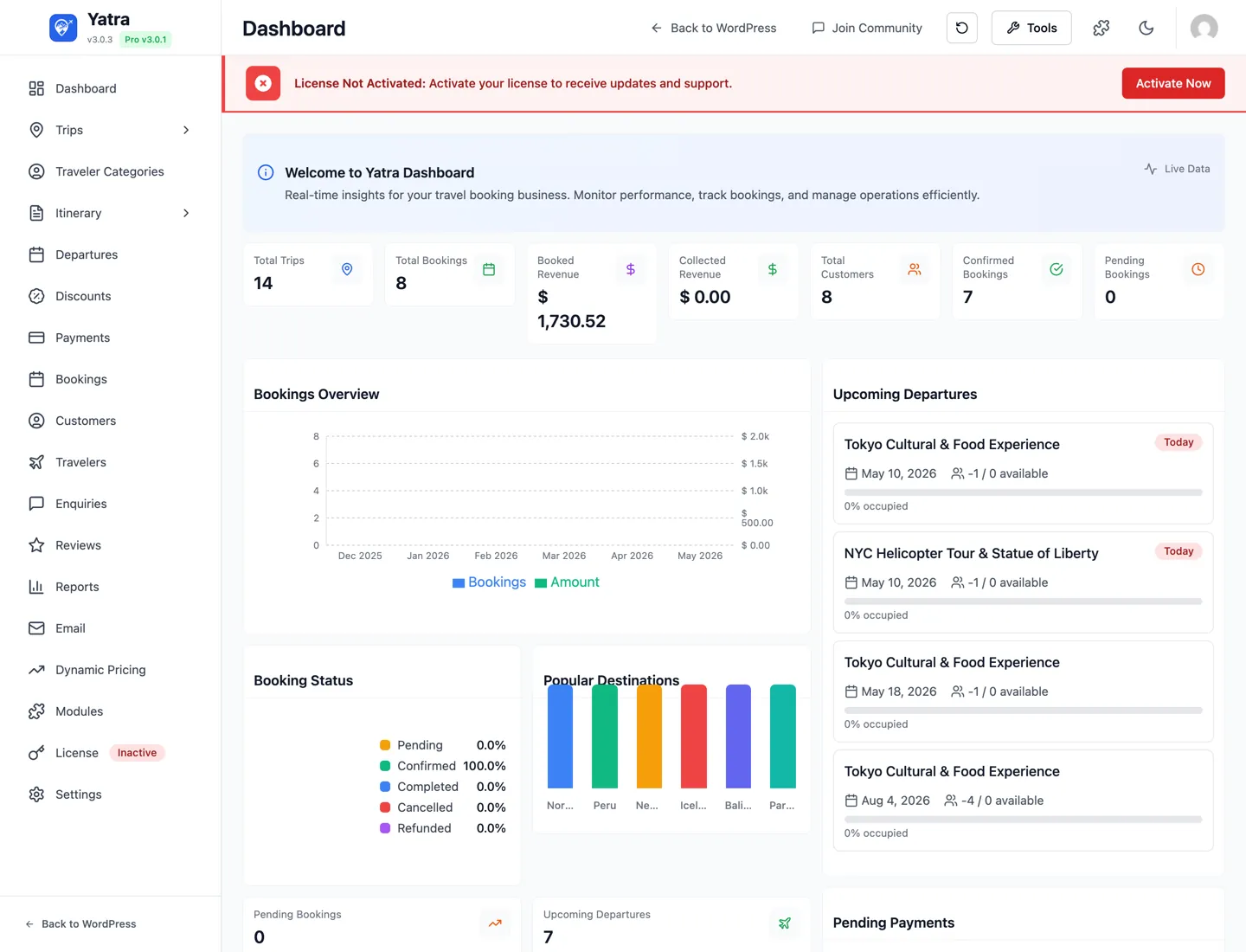
Open Yatra → Email. The URL is admin.php?page=yatra&subpage=email-automation.
The hub has up to four tabs:
| Tab | Free | Pro |
|---|---|---|
| Delivery | ✅ Site-wide sender settings. | |
| Templates | ✅ All 25 transactional templates. | |
| Sequences | — | PRO Multi-step sequences. |
| Email logs | — | PRO Per-send delivery log. |
Sequences and Email logs only appear when Yatra Pro is active and the Email Automation module is on (toggle in Yatra → Modules).
Delivery settings
The Delivery tab covers the basics that decide whether your emails land in inboxes or spam:
- From email — visible "From" address. Use a
[email protected]on a domain you control. - From name — usually your tour-operator name.
- Reply-to — where replies go (default: site admin).
- Admin email — where admin-targeted notices go (new booking, new enquiry, etc.).
wp_mail() is unreliable on most hosts. Connect a real ESP (SendGrid, Postmark, Mailgun, Amazon SES) using a transport plugin like WP Mail SMTP, FluentSMTP, or Post SMTP. Then configure SPF, DKIM, and DMARC for the From domain.Templates
The Templates tab lists every template with these columns:
- Name — what the template does.
- Audience — Customer or Admin.
- Trigger — the event key that fires it (e.g.
booking.created,payment.received). - Status — Active / Inactive toggle.
Module-gated templates stay listed
Templates that require a Pro module (Trip Consent, Scheduled Payments, Abandoned Booking Recovery) still appear in the list even without the module — you can read them and review their copy, but they're view-only until the module is enabled.
Global & Override templates PRO
With the Email Automation module on, the Templates tab has two sections:
| Section | What it holds |
|---|---|
| 🌐 Global templates | The list above, exactly as before — one template per event, sent to every trip unless an override applies. Editing a global template never changes its overrides. Each row shows an Overrides column (none, or 2 overrides → which jumps to the Override section filtered to that template) and an Add override… row action. |
| 🧭 Override templates | Trip-specific versions of a global template. Each row shows which template it overrides (with its priority n of m among sibling overrides), what it applies to (trips, categories, trip types), the event it inherits, and its own Active switch. Row actions: Higher / Lower priority, Edit, Delete. |
Adding an override. Click Add override… on a global row (or + Add override in the Override section, which first asks which global template). The popup asks which trips the override is for — individual trips, whole categories (sub-categories included) and/or a trip type — suggests a name from what you picked (Booking Confirmation — Trekking & Hiking), and starts from a copy of the global template (or blank). It then opens in the editor, where the Applies to block sits above the template details.
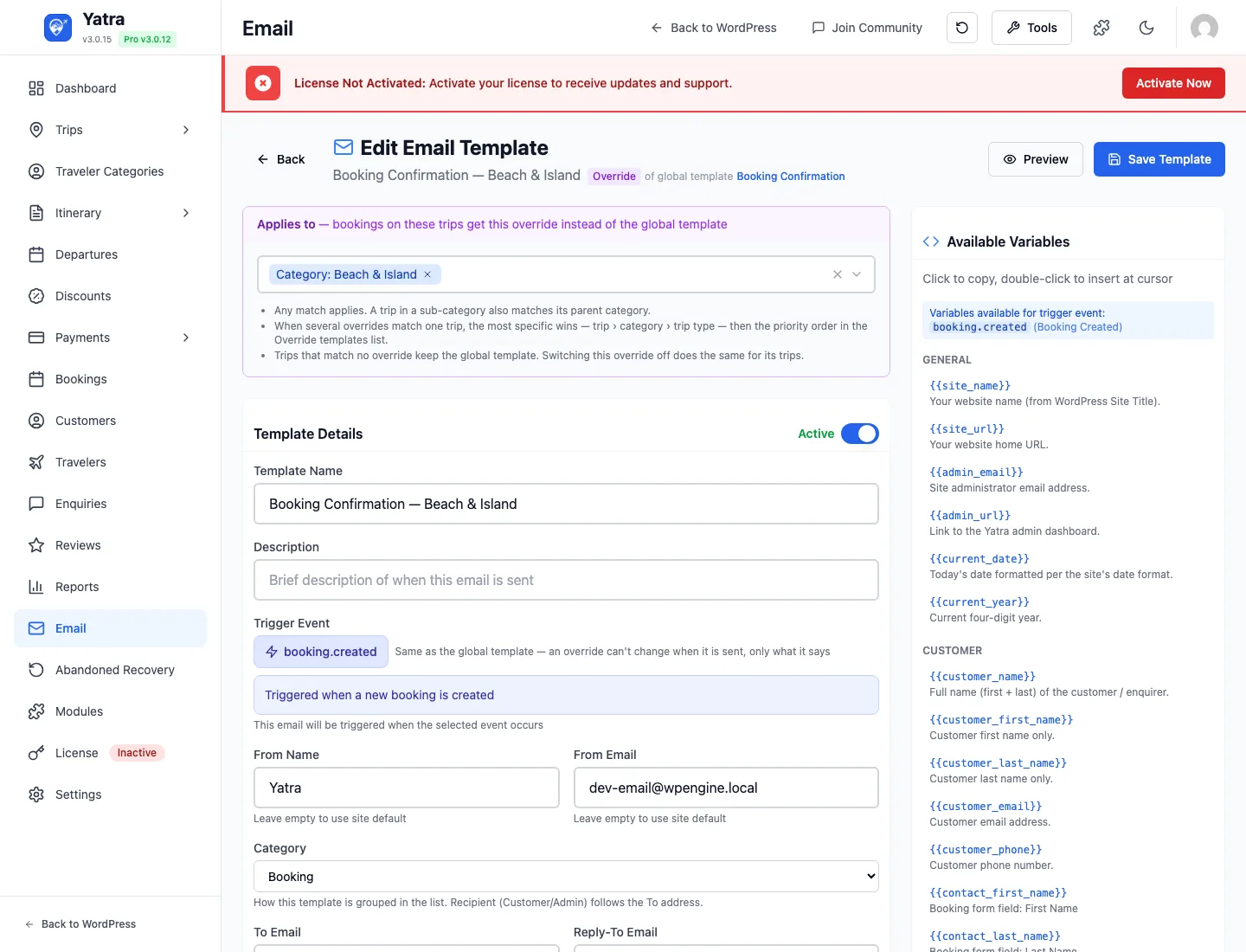
Which template a booking gets, per email:
- Only active overrides with a non-empty body are considered.
- The most specific match wins — an override that names the trip beats one that names its category (ancestor categories count), which beats one that names the trip type.
- Ties are broken by the priority order in the Override section.
- No matching override → the global template, exactly as before. An override is never sent in addition to its global template.
Checking it. Above the list, View as a trip highlights, across both sections, exactly which row each event uses for that trip (sent for Paris City Explorer · category beats trip type, overridden for … → name). The same check sits in the editor's Try it with a real trip card — it is not saved; it only drives the answer shown there and lets Preview and Send Test Email use that trip's real data. Email logs show Global name · Override: name for sends that used an override.
What can be overridden. Every booking-bound email — confirmation, booking confirmed, payment / partial payment, cancellation, trip reminder, trip completed, booking expired, consent request, scheduled-payment reminder / succeeded / failed, review request, abandoned-booking recovery — and the corresponding Admin: notices. Verification, account and enquiry emails cannot be overridden (they are not about one trip, or must keep their links). Sequences keep their own trip filter and are not affected.
Rules worth knowing. An override always fires on its global template's event and cannot change it. An override is an independent copy: editing the global template afterwards doesn't touch it. Switching an override off (or deleting it) sends its trips the global template again. Duplicating an override creates a plain custom template, not another override.
The booking event flow at a glance
Every stage of a booking fires one event; the templates (and Pro sequences, webhooks and WhatsApp messages) hang off those events. Nothing below is legacy — this is the current flow.
| Stage | Event | Customer email | Admin email | Notes |
|---|---|---|---|---|
| Booking submitted (checkout or manual admin booking) | booking.created | booking_confirmation ("booking received") | admin_new_booking | With Require guest email verification on, a guest's booking is created only after the verification link is clicked. |
| Booking status becomes Confirmed | booking.confirmed | booking_confirmed ("you're confirmed") | — | Manually from the booking, or automatically by a payment when Auto-Confirm is online / all. With none, payments never confirm. |
| Payment received that settles the balance | payment.received | payment_received | admin_payment_received | Online captures and admin-recorded payments (since 3.0.15). May be followed by booking.confirmed if Auto-Confirm allows. |
| Payment received that leaves a balance (deposit, instalment) | payment.partial_received | partial_payment_received PRO (falls back to payment_received) | admin_payment_received | The two payment events are exclusive: exactly one fires per payment, decided by the remaining balance. |
| Balance collected by a scheduled charge | scheduled.payment.succeeded (+ payment.received) | scheduled_payment_succeeded | — | Scheduled Payments PRO. Failed attempts fire scheduled.payment.failed. |
| Booking cancelled | booking.cancelled | booking_cancelled | admin_booking_cancelled | |
| Unpaid booking expired by the cron | booking.expired | booking_expired_customer | admin_booking_expired | |
| Trip completed (cron after the travel date) | booking.completed | booking_completed | — | |
| Resend from the booking page | none | the template matching the booking's current state | A resend is not a lifecycle event: a confirmed/completed booking gets booking_confirmed, a pending one booking_confirmation; nothing else (sequences, webhooks) is triggered. |
A two-step "request → confirmed" workflow
If you check bookings by hand before committing to them: set Auto-Confirm Bookings to Don't auto-confirm, word booking_confirmation as "we've received your request and will confirm shortly", and word booking_confirmed as the binding confirmation. Confirming the booking in the admin then sends the second email. Payments received in between only send the payment emails.
The 25 transactional templates
Every template's content is editable from the Templates tab; module-gated ones are read-only until the relevant Pro module is active.
Booking lifecycle (customer)
| Template key | Display name | Trigger | Notes |
|---|---|---|---|
booking_confirmation | Booking Confirmation | booking.created | Stage 1 — "we received your booking." Sent the moment a booking is created (checkout, manual admin booking). Word it as an acknowledgement, not a promise. |
booking_confirmed | Booking Confirmed | booking.confirmed | Stage 2 — "your booking is confirmed." Sent when the booking's status becomes Confirmed — by you, manually, or by a payment when Auto-Confirm allows it. Resend → Booking confirmation on a confirmed booking resends this one. |
booking_cancelled | Booking Cancelled | booking.cancelled | Customer-facing cancellation notice. |
booking_completed | Booking Completed | booking.completed | Sent when the trip-completion cron flips the booking after travel date. |
booking_expired_customer | Booking Expired | booking.expired | Sent when a pending booking is auto-cancelled by expiry cron. |
new_booking | New Booking Confirmation | booking.created | Dormant leftover from an older schema — never sent. The dispatcher skips it explicitly; booking_confirmation is the template that goes out. Safe to ignore or delete. |
booking_payment | Booking payment notice | payment.received | Dormant leftover — never sent. Payment emails use payment_received / partial_payment_received. Converted to an ordinary user template so it can be deleted. |
Booking lifecycle (admin)
| Template key | Display name | Trigger |
|---|---|---|
admin_new_booking | Admin: New Booking | booking.created |
admin_payment_received | Admin: Payment Received | payment.received |
admin_booking_cancelled | Admin: Booking Cancelled | booking.cancelled |
admin_booking_expired | Admin: Booking Expired | booking.expired |
Payment
| Template key | Display name | Trigger | Module-gated by |
|---|---|---|---|
payment_received | Payment Received (customer) | payment.received | — |
payment_reminder | Payment Reminder | payment.reminder | — |
scheduled_payment_reminder | Scheduled Payment Reminder | scheduled.payment.reminder | Scheduled Payments PRO |
scheduled_payment_succeeded | Scheduled Payment Received | scheduled.payment.succeeded | Scheduled Payments PRO |
scheduled_payment_failed | Scheduled Payment Failed (customer) | scheduled.payment.failed | Scheduled Payments PRO |
admin_scheduled_payment_failed | Admin: Scheduled Payment Failed | scheduled.payment.failed | Scheduled Payments PRO |
Reminders & marketing
| Template key | Display name | Trigger |
|---|---|---|
trip_reminder | Trip Reminder | reminder.trip |
review_request | Review Request | marketing.review_request |
Enquiries
| Template key | Display name | Trigger |
|---|---|---|
enquiry_received | Enquiry Received | enquiry.created |
enquiry_admin | Admin: New Enquiry | enquiry.created |
enquiry_response | Enquiry Response | enquiry.responded |
Account & consent
| Template key | Display name | Trigger | Module-gated by |
|---|---|---|---|
customer_email_verification | Email Verification | account.email_verification | — |
account_email_change_request | Account Email Change Request | account.email_change_request | — |
account_email_changed | Account Email Changed | account.email_changed | — |
trip_consent_request | Trip Consent Request | consent.requested | Trip Consent PRO |
Abandoned booking recovery PRO
Module-gated by Abandoned Booking Recovery — listed in the catalog regardless, sends only when the module is active.
| Template key | Display name | Trigger |
|---|---|---|
abandoned_booking_recovery_first | Abandoned Recovery — 1h reminder | booking.abandoned_recovery |
abandoned_booking_recovery_second | Abandoned Recovery — 1d reminder | booking.abandoned_recovery |
abandoned_booking_recovery_final | Abandoned Recovery — 3d final | booking.abandoned_recovery |
"Free baseline" — 17 templates fire without Pro
Of the 25 templates in the catalog, 17 work in the free plugin out-of-the-box: every booking lifecycle email (customer + admin), payment received/reminder, enquiry triad, trip reminder, review request, and email verification. The other 8 require their corresponding Pro module to actually fire (the rows stay visible for content review).
Edit a template
Click a template name in the Templates tab to open the editor.

Top of the page
- ← Back to templates — return to the list.
- Preview — opens a rendered preview in a new tab using the Sample data service so merge tags resolve to realistic values.
- Save — persists changes.
- Status toggle — Active / Inactive.
Settings section
| Field | Notes |
|---|---|
| Name | Internal label for the Templates list. |
| From name | Overrides the global Delivery → From name for this template only. |
| From email | Overrides the global From email. |
| Reply-to | Can use merge tags (e.g. |
| CC / BCC | Comma-separated addresses or merge tags. |
Subject & body
- Subject line — supports merge tags (e.g.
Your booking is confirmed ·). - Email body (HTML) — the full message. WYSIWYG-style with raw HTML support.
- Merge-tag sidebar — every available tag for this template, with click-to-copy.
Available merge tags
Merge tags use {{…}} syntax. Whitespace inside the braces is OK — {{ trip_name }} is the same as {{trip_name}}.
Tags below come from one place: the central merge-tag registry (Yatra\Services\EmailMergeTagRegistry). The renderer and the in-editor "Available Variables" sidebar both read from it, so any tag listed here is guaranteed to resolve at send time on the events shown — no drift between the docs, the sidebar, and the actual email.
See which tags apply to a specific template
Open any template in the editor — the merge-tag sidebar on the right shows you exactly which tags resolve for that event, with click-to-copy. The list narrows automatically when you change the template's trigger.
Universal tags (every template)
These are merged in by parseTemplate() so every event has them.
| Tag | Renders |
|---|---|
{{site_name}} | WordPress Site Title. |
{{site_url}} | Site root URL. |
{{admin_email}} | Site administrator email. |
{{admin_url}} | Link to the Yatra admin dashboard. |
{{current_date}} | Today's date formatted per the site's date format. |
{{current_year}} | Current four-digit year. |
Customer tags
Available on booking, enquiry, account, and consent / abandoned-recovery emails (customer_last_name / customer_phone are on booking + enquiry contexts only).
| Tag | Renders |
|---|---|
{{customer_name}} | Full name (first + last). |
{{customer_first_name}} | First name only. |
{{customer_last_name}} | Last name only (booking events). |
{{customer_email}} | Customer email address. |
{{customer_phone}} | Customer phone (booking + enquiry). |
Booking tags
Available on every booking-context event (booking.*, payment.*, reminder.trip, marketing.review_request, scheduled.payment.*).
| Tag | Renders |
|---|---|
{{booking_reference}} | Customer-visible booking code (e.g. YTR-2024-001234). |
{{booking_id}} | Internal numeric booking identifier. |
{{booking_url}} | Link to view the booking in My Account. |
{{booking_status}} | pending / confirmed / cancelled / completed. |
{{payment_status}} | unpaid / partial / paid / refunded. |
{{trip_name}} | Title of the trip. |
{{trip_url}} | Public link to the trip page. |
{{travel_date}} | Departure date formatted per site settings. |
{{travelers_count}} | Number of travelers on the booking. |
{{travelers_list}} | Plain-text list of traveler names. |
{{travelers_list_html}} | HTML-formatted list of traveler names. |
{{traveler_custom_fields_html}} | Dynamic Form Field answers per traveler, rendered as HTML. |
{{booking_custom_fields_html}} | Booking-level Dynamic Form Field answers as HTML. |
{{special_requests}} | Customer-entered special-requests text. |
{{special_requests_html}} | Special requests with line breaks preserved. |
{{cancellation_reason}} | Reason recorded when the booking was cancelled. (booking.cancelled only) |
{{completion_date}} | Date the trip was marked completed. (booking.completed, marketing.review_request) |
{{expiry_policy_note}} | Message shown when a pending booking auto-expires. (booking.expired only) |
Money tags
| Tag | Renders |
|---|---|
{{total_amount_formatted}} | Booking total with currency symbol — preferred over raw totals. |
{{amount_due_formatted}} | Remaining balance with currency symbol. |
{{currency}} | ISO 4217 currency code (e.g. USD). |
{{payment_gateway}} | Internal gateway slug (stripe / paypal / …). |
{{payment_gateway_label}} | Human-readable gateway name (Stripe, PayPal …). |
{{payment_schedule}} | full / deposit / partial. |
{{payment_schedule_label}} | Humanised schedule (e.g. "Deposit", "Full Payment"). |
Payment-event tags
| Tag | Renders | Resolves on |
|---|---|---|
{{payment_amount_formatted}} | Amount of the specific payment with currency. | payment.received, payment.reminder |
{{payment_method}} | Instrument label ("Card", "Bank Transfer", …). | payment.received, payment.reminder |
{{transaction_id}} | Gateway transaction reference for the payment. | payment.received |
{{due_date}} | Payment due date for reminders. | payment.reminder |
Scheduled-payment tags PRO
Resolve on scheduled.payment.reminder / scheduled.payment.succeeded / scheduled.payment.failed (Scheduled Payments module).
| Tag | Renders | Resolves on |
|---|---|---|
{{scheduled_amount_formatted}} | Amount of the upcoming scheduled charge with currency. | all three |
{{scheduled_date_formatted}} | When the next scheduled charge will run. | all three |
{{payment_type_label}} | "Deposit", "Final", "Installment 2 of 4", … | all three |
{{balance_after_formatted}} | Balance remaining after this charge succeeds. | scheduled.payment.succeeded |
{{failure_reason}} | Gateway-supplied reason a scheduled charge failed. | scheduled.payment.failed |
{{failure_intro_html}} | Intro block for the payment-failure email body. | scheduled.payment.failed |
{{failure_followup_html}} | Closing block prompting the customer to update payment. | scheduled.payment.failed |
Reminder & review tags
Resolve on reminder.trip and marketing.review_request.
| Tag | Renders | Resolves on |
|---|---|---|
{{days_until_trip}} | Days remaining until departure. | reminder.trip |
{{reminder_days}} | Configured number of days before the trip when the reminder fires. | reminder.trip |
{{reminder_extra_html}} | Optional extra block (packing list, etc.). | reminder.trip |
{{review_url}} | Public link the customer opens to leave a review. | marketing.review_request |
Enquiry tags
Resolve on enquiry.created and enquiry.responded. The response-only fields are injected solely on the response email — they don't appear in enquiry.created.
| Tag | Renders | Resolves on |
|---|---|---|
{{enquiry_id}} | Internal numeric enquiry identifier. | both |
{{enquiry_date}} | When the enquiry was submitted. | both |
{{subject}} | Subject line the customer provided. | both |
{{message}} | Customer message body (sanitised, line breaks preserved). | both |
{{original_message}} | First message in the enquiry thread (no line-break escaping). | both |
{{response}} | Operator's typed reply. | enquiry.responded |
{{response_message}} | Same as response. | enquiry.responded |
{{response_date}} | When the reply was sent. | enquiry.responded |
Trip consent tags PRO
Resolve on consent.requested (Trip Consent module).
| Tag | Renders |
|---|---|
{{recipient_name}} | Traveler receiving the consent email. |
{{form_name}} | Title of the consent form. |
{{consent_link}} | URL to open and sign the form. |
{{expiry_notice_html}} | Optional expiry-message block. |
{{consent_test_notice_html}} | Shown only on admin test sends. |
Account / verification tags
Resolve on the account events — account.email_verification, account.email_change_request and account.email_changed. Not every tag applies to every one of them (for example the "changed" notice carries no {{verification_link}}); each event's section further down lists exactly what it offers.
| Tag | Renders |
|---|---|
{{verification_link}} | Magic link the customer opens to verify their email. |
{{intro_paragraph}} | Opening sentence (registration / resend variant). |
{{footer_note}} | Disclaimer for unintended recipients. |
{{expiry_notice_html}} | Link-expiry messaging block (also used by consent emails). |
Abandoned-recovery tags PRO
Resolve on booking.abandoned_recovery (Abandoned Booking Recovery module).
| Tag | Renders |
|---|---|
{{recovery_link}} | Resume the abandoned checkout from the customer email. |
{{recovery_reminder_label}} | Sequence-stage label ("First reminder", "Final reminder", …). |
{{recovery_intro_html}} | Lead paragraph specific to each recovery email. |
Extending the registry
Modules can append their own tags without forking core:
add_filter( 'yatra_email_merge_tag_definitions', function ( array $catalog ) {
    $catalog['airline_pnr'] = [
        'key' => 'airline_pnr',
        'label' => 'Airline PNR',
        'description' => 'Six-character GDS reservation code.',
        'category' => 'booking',
        'sample' => 'ABC123',
        'events' => [ 'booking.confirmed', 'booking.created' ],
    ];
    return $catalog;
} );
Whatever you append flows into the sidebar AND must be injected by the relevant dispatcher (filter yatra_booking_email_variables for booking events, yatra_send_transactional_email for any send). Otherwise the tag renders empty in the email.
Per-event reference
Every email Yatra sends is fired from one of 17 events. Each entry below explains when the event fires, which dispatcher assembles the variables, which templates subscribe to it, and the full variable list with explanations. Generated from the central registry.
booking.created — Booking Created
When it fires. A new booking is inserted into the database. Triggered by checkout (POST /yatra/v1/bookings/place) and by the admin "Create Booking" flow. The Email Automation hook fans the event out to every active template keyed to this event.
Dispatcher. yatra_booking_created action → EmailAutomationHooks::onBookingCreatedEventTemplates → EmailAutomationService::mergeBookingVariablesForTemplates()
Templates listening to this event:
booking_confirmation— Booking Confirmation (Customer)new_booking— New Booking Confirmation (Customer) — dormant, never sentadmin_new_booking— Admin: New Booking (Admin)
Variables available (33 across 4 groups):
Universal (6)
| Tag | Explanation |
|---|---|
| Your website name (from WordPress Site Title). |
| Your website home URL. |
| Site administrator email address. |
| Link to the Yatra admin dashboard. |
| Today's date formatted per the site's date format. |
| Current four-digit year. |
Customer (5)
| Tag | Explanation |
|---|---|
| Full name (first + last) of the customer / enquirer. |
| Customer first name only. |
| Customer last name only. |
| Customer email address. |
| Customer phone number. |
Booking (15)
| Tag | Explanation |
|---|---|
| Customer-visible booking code (e.g. YTR-12345). |
| Internal numeric booking identifier. |
| Link to view the booking in My Account. |
| pending / confirmed / cancelled / completed. |
| unpaid / partial / paid / refunded. |
| Title of the trip the booking / enquiry is for. |
| Public link to the trip detail page. |
| Departure date formatted per site settings. |
| Number of travelers on the booking. |
| Plain-text list of traveler names. |
| HTML-formatted list of traveler names. |
| Dynamic Form Field answers per traveler, rendered as HTML. |
| Booking-level Dynamic Form Field answers as HTML. |
| Customer-entered special requests text. |
| Special requests with line breaks preserved. |
Payment (7)
| Tag | Explanation |
|---|---|
| Total cost with currency symbol — preferred over total_amount. |
| Remaining balance with currency symbol. |
| ISO 4217 currency code (e.g. USD). |
| Internal gateway slug — stripe / paypal / razorpay etc. |
| Human-readable gateway name — Stripe, PayPal etc. |
| full / deposit / partial — raw value. |
| Humanised schedule (e.g. Deposit, Full Payment). |
booking.confirmed — Booking Confirmed
When it fires. Booking status flips to confirmed — typically after a deposit / full payment lands, or when an operator manually confirms a pending booking in admin.
Dispatcher. BookingService::sendStatusEmail() (status_confirmed branch) → free renderer → Pro override via maybeSendTransactional
Templates listening to this event:
booking_confirmed— Booking Confirmed (Customer) — the stage-2 "you're confirmed" email
Variables available (33 across 4 groups):
Universal (6)
| Tag | Explanation |
|---|---|
| Your website name (from WordPress Site Title). |
| Your website home URL. |
| Site administrator email address. |
| Link to the Yatra admin dashboard. |
| Today's date formatted per the site's date format. |
| Current four-digit year. |
Customer (5)
| Tag | Explanation |
|---|---|
| Full name (first + last) of the customer / enquirer. |
| Customer first name only. |
| Customer last name only. |
| Customer email address. |
| Customer phone number. |
Booking (15)
| Tag | Explanation |
|---|---|
| Customer-visible booking code (e.g. YTR-12345). |
| Internal numeric booking identifier. |
| Link to view the booking in My Account. |
| pending / confirmed / cancelled / completed. |
| unpaid / partial / paid / refunded. |
| Title of the trip the booking / enquiry is for. |
| Public link to the trip detail page. |
| Departure date formatted per site settings. |
| Number of travelers on the booking. |
| Plain-text list of traveler names. |
| HTML-formatted list of traveler names. |
| Dynamic Form Field answers per traveler, rendered as HTML. |
| Booking-level Dynamic Form Field answers as HTML. |
| Customer-entered special requests text. |
| Special requests with line breaks preserved. |
Payment (7)
| Tag | Explanation |
|---|---|
| Total cost with currency symbol — preferred over total_amount. |
| Remaining balance with currency symbol. |
| ISO 4217 currency code (e.g. USD). |
| Internal gateway slug — stripe / paypal / razorpay etc. |
| Human-readable gateway name — Stripe, PayPal etc. |
| full / deposit / partial — raw value. |
| Humanised schedule (e.g. Deposit, Full Payment). |
booking.cancelled — Booking Cancelled
When it fires. Booking status flips to cancelled. Either the customer cancels through My Account or an operator cancels in admin; the cancellation reason is stored on the booking row and exposed to the template.
Dispatcher. BookingService::sendStatusEmail() (cancelled branch) → free renderer → Pro override
Templates listening to this event:
booking_cancelled— Booking Cancelled (Customer)admin_booking_cancelled— Admin: Booking Cancelled (Admin)
Variables available (34 across 4 groups):
Universal (6)
| Tag | Explanation |
|---|---|
| Your website name (from WordPress Site Title). |
| Your website home URL. |
| Site administrator email address. |
| Link to the Yatra admin dashboard. |
| Today's date formatted per the site's date format. |
| Current four-digit year. |
Customer (5)
| Tag | Explanation |
|---|---|
| Full name (first + last) of the customer / enquirer. |
| Customer first name only. |
| Customer last name only. |
| Customer email address. |
| Customer phone number. |
Booking (16)
| Tag | Explanation |
|---|---|
| Customer-visible booking code (e.g. YTR-12345). |
| Internal numeric booking identifier. |
| Link to view the booking in My Account. |
| pending / confirmed / cancelled / completed. |
| unpaid / partial / paid / refunded. |
| Title of the trip the booking / enquiry is for. |
| Public link to the trip detail page. |
| Departure date formatted per site settings. |
| Number of travelers on the booking. |
| Plain-text list of traveler names. |
| HTML-formatted list of traveler names. |
| Dynamic Form Field answers per traveler, rendered as HTML. |
| Booking-level Dynamic Form Field answers as HTML. |
| Customer-entered special requests text. |
| Special requests with line breaks preserved. |
| Reason recorded when the booking was cancelled. |
Payment (7)
| Tag | Explanation |
|---|---|
| Total cost with currency symbol — preferred over total_amount. |
| Remaining balance with currency symbol. |
| ISO 4217 currency code (e.g. USD). |
| Internal gateway slug — stripe / paypal / razorpay etc. |
| Human-readable gateway name — Stripe, PayPal etc. |
| full / deposit / partial — raw value. |
| Humanised schedule (e.g. Deposit, Full Payment). |
booking.completed — Trip Completed
When it fires. Booking is marked completed — usually by the yatra_booking_completion_cron after the travel date passes, or by an operator manually flipping the status.
Dispatcher. BookingService::sendStatusEmail() (completed branch) and EmailAutomationHooks::maybeSendCompletedTemplate
Templates listening to this event:
booking_completed— Booking Completed (Customer)
Variables available (34 across 4 groups):
Universal (6)
| Tag | Explanation |
|---|---|
| Your website name (from WordPress Site Title). |
| Your website home URL. |
| Site administrator email address. |
| Link to the Yatra admin dashboard. |
| Today's date formatted per the site's date format. |
| Current four-digit year. |
Customer (5)
| Tag | Explanation |
|---|---|
| Full name (first + last) of the customer / enquirer. |
| Customer first name only. |
| Customer last name only. |
| Customer email address. |
| Customer phone number. |
Booking (16)
| Tag | Explanation |
|---|---|
| Customer-visible booking code (e.g. YTR-12345). |
| Internal numeric booking identifier. |
| Link to view the booking in My Account. |
| pending / confirmed / cancelled / completed. |
| unpaid / partial / paid / refunded. |
| Title of the trip the booking / enquiry is for. |
| Public link to the trip detail page. |
| Departure date formatted per site settings. |
| Number of travelers on the booking. |
| Plain-text list of traveler names. |
| HTML-formatted list of traveler names. |
| Dynamic Form Field answers per traveler, rendered as HTML. |
| Booking-level Dynamic Form Field answers as HTML. |
| Customer-entered special requests text. |
| Special requests with line breaks preserved. |
| Date the trip / booking was marked completed. |
Payment (7)
| Tag | Explanation |
|---|---|
| Total cost with currency symbol — preferred over total_amount. |
| Remaining balance with currency symbol. |
| ISO 4217 currency code (e.g. USD). |
| Internal gateway slug — stripe / paypal / razorpay etc. |
| Human-readable gateway name — Stripe, PayPal etc. |
| full / deposit / partial — raw value. |
| Humanised schedule (e.g. Deposit, Full Payment). |
booking.expired — Booking Expired (Non-payment)
When it fires. The booking-expiry cron auto-cancels a pending booking that wasn't paid within the configured window. Sends both customer and admin variants.
Dispatcher. BookingCronService::expireBookings() → TYPE_BOOKING_EXPIRED_CUSTOMER / TYPE_ADMIN_BOOKING_EXPIRED
Templates listening to this event:
booking_expired_customer— Booking Expired (Customer)admin_booking_expired— Admin: Booking Expired (Admin)
Variables available (34 across 4 groups):
Universal (6)
| Tag | Explanation |
|---|---|
| Your website name (from WordPress Site Title). |
| Your website home URL. |
| Site administrator email address. |
| Link to the Yatra admin dashboard. |
| Today's date formatted per the site's date format. |
| Current four-digit year. |
Customer (5)
| Tag | Explanation |
|---|---|
| Full name (first + last) of the customer / enquirer. |
| Customer first name only. |
| Customer last name only. |
| Customer email address. |
| Customer phone number. |
Booking (16)
| Tag | Explanation |
|---|---|
| Customer-visible booking code (e.g. YTR-12345). |
| Internal numeric booking identifier. |
| Link to view the booking in My Account. |
| pending / confirmed / cancelled / completed. |
| unpaid / partial / paid / refunded. |
| Title of the trip the booking / enquiry is for. |
| Public link to the trip detail page. |
| Departure date formatted per site settings. |
| Number of travelers on the booking. |
| Plain-text list of traveler names. |
| HTML-formatted list of traveler names. |
| Dynamic Form Field answers per traveler, rendered as HTML. |
| Booking-level Dynamic Form Field answers as HTML. |
| Customer-entered special requests text. |
| Special requests with line breaks preserved. |
| Message shown when a booking auto-expires for non-payment. |
Payment (7)
| Tag | Explanation |
|---|---|
| Total cost with currency symbol — preferred over total_amount. |
| Remaining balance with currency symbol. |
| ISO 4217 currency code (e.g. USD). |
| Internal gateway slug — stripe / paypal / razorpay etc. |
| Human-readable gateway name — Stripe, PayPal etc. |
| full / deposit / partial — raw value. |
| Humanised schedule (e.g. Deposit, Full Payment). |
payment.received — Payment Received
When it fires. A payment (full, deposit, or partial) is captured. Fired from every gateway (Stripe, PayPal, Razorpay, Paystack, Mollie, COD) via yatra_payment_completed. Sends both customer receipt and admin notification.
Dispatcher. NotificationService::sendPaymentReceived() → TYPE_PAYMENT_CONFIRMATION / TYPE_ADMIN_PAYMENT_RECEIVED
Templates listening to this event:
booking_payment— Booking payment notice (Customer) — dormant, never sentadmin_payment_received— Admin: Payment Received (Admin)payment_received— Payment Received (customer) (Customer)
Variables available (36 across 4 groups):
Universal (6)
| Tag | Explanation |
|---|---|
| Your website name (from WordPress Site Title). |
| Your website home URL. |
| Site administrator email address. |
| Link to the Yatra admin dashboard. |
| Today's date formatted per the site's date format. |
| Current four-digit year. |
Customer (5)
| Tag | Explanation |
|---|---|
| Full name (first + last) of the customer / enquirer. |
| Customer first name only. |
| Customer last name only. |
| Customer email address. |
| Customer phone number. |
Booking (15)
| Tag | Explanation |
|---|---|
| Customer-visible booking code (e.g. YTR-12345). |
| Internal numeric booking identifier. |
| Link to view the booking in My Account. |
| pending / confirmed / cancelled / completed. |
| unpaid / partial / paid / refunded. |
| Title of the trip the booking / enquiry is for. |
| Public link to the trip detail page. |
| Departure date formatted per site settings. |
| Number of travelers on the booking. |
| Plain-text list of traveler names. |
| HTML-formatted list of traveler names. |
| Dynamic Form Field answers per traveler, rendered as HTML. |
| Booking-level Dynamic Form Field answers as HTML. |
| Customer-entered special requests text. |
| Special requests with line breaks preserved. |
Payment (10)
| Tag | Explanation |
|---|---|
| Total cost with currency symbol — preferred over total_amount. |
| Remaining balance with currency symbol. |
| ISO 4217 currency code (e.g. USD). |
| Amount of the specific payment with currency. |
| Instrument label (e.g. Card, Bank Transfer). |
| Gateway transaction reference for the payment. |
| Internal gateway slug — stripe / paypal / razorpay etc. |
| Human-readable gateway name — Stripe, PayPal etc. |
| full / deposit / partial — raw value. |
| Humanised schedule (e.g. Deposit, Full Payment). |
payment.reminder — Payment Reminder
When it fires. A balance is outstanding past its due date. Currently no built-in cron dispatcher — operators trigger sends from the booking detail page, or wire one via the yatra_send_transactional_email filter. Tag list reflects what variablesFromBooking() + payment context provide when fired.
Dispatcher. Operator-triggered or custom cron → TYPE_PAYMENT_REMINDER
Templates listening to this event:
payment_reminder— Payment Reminder (Customer)
Variables available (36 across 4 groups):
Universal (6)
| Tag | Explanation |
|---|---|
| Your website name (from WordPress Site Title). |
| Your website home URL. |
| Site administrator email address. |
| Link to the Yatra admin dashboard. |
| Today's date formatted per the site's date format. |
| Current four-digit year. |
Customer (5)
| Tag | Explanation |
|---|---|
| Full name (first + last) of the customer / enquirer. |
| Customer first name only. |
| Customer last name only. |
| Customer email address. |
| Customer phone number. |
Booking (15)
| Tag | Explanation |
|---|---|
| Customer-visible booking code (e.g. YTR-12345). |
| Internal numeric booking identifier. |
| Link to view the booking in My Account. |
| pending / confirmed / cancelled / completed. |
| unpaid / partial / paid / refunded. |
| Title of the trip the booking / enquiry is for. |
| Public link to the trip detail page. |
| Departure date formatted per site settings. |
| Number of travelers on the booking. |
| Plain-text list of traveler names. |
| HTML-formatted list of traveler names. |
| Dynamic Form Field answers per traveler, rendered as HTML. |
| Booking-level Dynamic Form Field answers as HTML. |
| Customer-entered special requests text. |
| Special requests with line breaks preserved. |
Payment (10)
| Tag | Explanation |
|---|---|
| Total cost with currency symbol — preferred over total_amount. |
| Remaining balance with currency symbol. |
| ISO 4217 currency code (e.g. USD). |
| Amount of the specific payment with currency. |
| Instrument label (e.g. Card, Bank Transfer). |
| Internal gateway slug — stripe / paypal / razorpay etc. |
| Human-readable gateway name — Stripe, PayPal etc. |
| full / deposit / partial — raw value. |
| Humanised schedule (e.g. Deposit, Full Payment). |
| Payment due date for reminders. |
reminder.trip — Trip Reminder
When it fires. The trip-reminder cron fires reminder_days before travel date (default 3 days, configurable in Settings → Bookings). Sends a "your trip is coming up" email with packing-list / weather extras.
Dispatcher. BookingCronService::sendReminders() → TYPE_BOOKING_REMINDER
Templates listening to this event:
trip_reminder— Trip Reminder (Customer)
Variables available (36 across 5 groups):
Universal (6)
| Tag | Explanation |
|---|---|
| Your website name (from WordPress Site Title). |
| Your website home URL. |
| Site administrator email address. |
| Link to the Yatra admin dashboard. |
| Today's date formatted per the site's date format. |
| Current four-digit year. |
Customer (5)
| Tag | Explanation |
|---|---|
| Full name (first + last) of the customer / enquirer. |
| Customer first name only. |
| Customer last name only. |
| Customer email address. |
| Customer phone number. |
Booking (15)
| Tag | Explanation |
|---|---|
| Customer-visible booking code (e.g. YTR-12345). |
| Internal numeric booking identifier. |
| Link to view the booking in My Account. |
| pending / confirmed / cancelled / completed. |
| unpaid / partial / paid / refunded. |
| Title of the trip the booking / enquiry is for. |
| Public link to the trip detail page. |
| Departure date formatted per site settings. |
| Number of travelers on the booking. |
| Plain-text list of traveler names. |
| HTML-formatted list of traveler names. |
| Dynamic Form Field answers per traveler, rendered as HTML. |
| Booking-level Dynamic Form Field answers as HTML. |
| Customer-entered special requests text. |
| Special requests with line breaks preserved. |
Payment (7)
| Tag | Explanation |
|---|---|
| Total cost with currency symbol — preferred over total_amount. |
| Remaining balance with currency symbol. |
| ISO 4217 currency code (e.g. USD). |
| Internal gateway slug — stripe / paypal / razorpay etc. |
| Human-readable gateway name — Stripe, PayPal etc. |
| full / deposit / partial — raw value. |
| Humanised schedule (e.g. Deposit, Full Payment). |
Reminder & review (3)
| Tag | Explanation |
|---|---|
| Days remaining until departure. |
| Configured number of days before the trip when the reminder fires. |
| Optional extra block appended to reminder emails (packing list, etc.). |
marketing.review_request — Review Request
When it fires. After a booking is marked completed, the ReviewReminderService schedules an email some configurable number of days later inviting the customer to leave a review.
Dispatcher. ReviewReminderService::sendReminder() → TYPE_REVIEW_REQUEST
Templates listening to this event:
review_request— Review Request (Customer)
Variables available (35 across 5 groups):
Universal (6)
| Tag | Explanation |
|---|---|
| Your website name (from WordPress Site Title). |
| Your website home URL. |
| Site administrator email address. |
| Link to the Yatra admin dashboard. |
| Today's date formatted per the site's date format. |
| Current four-digit year. |
Customer (5)
| Tag | Explanation |
|---|---|
| Full name (first + last) of the customer / enquirer. |
| Customer first name only. |
| Customer last name only. |
| Customer email address. |
| Customer phone number. |
Booking (16)
| Tag | Explanation |
|---|---|
| Customer-visible booking code (e.g. YTR-12345). |
| Internal numeric booking identifier. |
| Link to view the booking in My Account. |
| pending / confirmed / cancelled / completed. |
| unpaid / partial / paid / refunded. |
| Title of the trip the booking / enquiry is for. |
| Public link to the trip detail page. |
| Departure date formatted per site settings. |
| Number of travelers on the booking. |
| Plain-text list of traveler names. |
| HTML-formatted list of traveler names. |
| Dynamic Form Field answers per traveler, rendered as HTML. |
| Booking-level Dynamic Form Field answers as HTML. |
| Customer-entered special requests text. |
| Special requests with line breaks preserved. |
| Date the trip / booking was marked completed. |
Payment (7)
| Tag | Explanation |
|---|---|
| Total cost with currency symbol — preferred over total_amount. |
| Remaining balance with currency symbol. |
| ISO 4217 currency code (e.g. USD). |
| Internal gateway slug — stripe / paypal / razorpay etc. |
| Human-readable gateway name — Stripe, PayPal etc. |
| full / deposit / partial — raw value. |
| Humanised schedule (e.g. Deposit, Full Payment). |
Reminder & review (1)
| Tag | Explanation |
|---|---|
| Public link the customer opens to leave a review. |
enquiry.created — Enquiry Received
When it fires. A visitor submits the enquiry form on a trip page (POST /yatra/v1/enquiries). Sends a confirmation to the visitor AND a notification to the configured admin address.
Dispatcher. EnquiryService::createEnquiry() → TYPE_ENQUIRY_CUSTOMER_RECEIVED + TYPE_ENQUIRY_ADMIN
Templates listening to this event:
enquiry_received— Enquiry Received (Customer)enquiry_admin— Admin: New Enquiry (Admin)
Variables available (16 across 4 groups):
Universal (6)
| Tag | Explanation |
|---|---|
| Your website name (from WordPress Site Title). |
| Your website home URL. |
| Site administrator email address. |
| Link to the Yatra admin dashboard. |
| Today's date formatted per the site's date format. |
| Current four-digit year. |
Customer (3)
| Tag | Explanation |
|---|---|
| Full name (first + last) of the customer / enquirer. |
| Customer email address. |
| Customer phone number. |
Booking (2)
| Tag | Explanation |
|---|---|
| Title of the trip the booking / enquiry is for. |
| Public link to the trip detail page. |
Enquiry (5)
| Tag | Explanation |
|---|---|
| Internal numeric enquiry identifier. |
| When the enquiry was submitted. |
| Subject line the customer provided. |
| Customer message body (sanitised, line breaks preserved). |
| First message in the enquiry thread (no line-break escaping). |
enquiry.responded — Enquiry Response
When it fires. An operator types a reply in the admin enquiry detail panel and clicks Send. The response is recorded on the thread and emailed back to the customer.
Dispatcher. EnquiryService::respondToEnquiry() → TYPE_ENQUIRY_CUSTOMER_RESPONSE
Templates listening to this event:
enquiry_response— Enquiry Response (Customer)
Variables available (19 across 4 groups):
Universal (6)
| Tag | Explanation |
|---|---|
| Your website name (from WordPress Site Title). |
| Your website home URL. |
| Site administrator email address. |
| Link to the Yatra admin dashboard. |
| Today's date formatted per the site's date format. |
| Current four-digit year. |
Customer (3)
| Tag | Explanation |
|---|---|
| Full name (first + last) of the customer / enquirer. |
| Customer email address. |
| Customer phone number. |
Booking (2)
| Tag | Explanation |
|---|---|
| Title of the trip the booking / enquiry is for. |
| Public link to the trip detail page. |
Enquiry (8)
| Tag | Explanation |
|---|---|
| Internal numeric enquiry identifier. |
| When the enquiry was submitted. |
| Subject line the customer provided. |
| Customer message body (sanitised, line breaks preserved). |
| First message in the enquiry thread (no line-break escaping). |
| Operator's typed reply (alias of response_message). |
| Operator's typed reply. |
| When the reply was sent. |
consent.requested — Trip Consent Requested
When it fires. An operator (or auto-trigger) sends a consent form to a booking traveler. Each traveler receives a unique signing URL.
Dispatcher. TripConsentService::sendConsentRequest() → TYPE_TRIP_CONSENT_REQUEST
Templates listening to this event:
trip_consent_request— Trip Consent Request (Customer)
Variables available (14 across 4 groups):
Universal (6)
| Tag | Explanation |
|---|---|
| Your website name (from WordPress Site Title). |
| Your website home URL. |
| Site administrator email address. |
| Link to the Yatra admin dashboard. |
| Today's date formatted per the site's date format. |
| Current four-digit year. |
Booking (3)
| Tag | Explanation |
|---|---|
| Customer-visible booking code (e.g. YTR-12345). |
| Title of the trip the booking / enquiry is for. |
| Departure date formatted per site settings. |
Trip consent (4)
| Tag | Explanation |
|---|---|
| Traveler receiving the consent email. |
| Title of the consent form. |
| URL to open and sign the form. |
| Shown only on admin test sends. |
Account / verification (1)
| Tag | Explanation |
|---|---|
| Link-expiry messaging block (consent / verification emails). |
account.email_verification — Customer Email Verification
When it fires. A new customer registers OR requests a fresh verification link. The email contains a magic link that, when opened, flips the yatra_email_verified user meta to 1 and lets the customer complete checkout.
Dispatcher. AuthController::sendVerificationEmail() → TYPE_CUSTOMER_EMAIL_VERIFICATION
Templates listening to this event:
customer_email_verification— Email Verification (Customer)
Variables available (13 across 3 groups):
Universal (6)
| Tag | Explanation |
|---|---|
| Your website name (from WordPress Site Title). |
| Your website home URL. |
| Site administrator email address. |
| Link to the Yatra admin dashboard. |
| Today's date formatted per the site's date format. |
| Current four-digit year. |
Customer (3)
| Tag | Explanation |
|---|---|
| Full name (first + last) of the customer / enquirer. |
| Customer first name only. |
| Customer email address. |
Account / verification (4)
| Tag | Explanation |
|---|---|
| Magic link the customer opens to verify their email. |
| Opening sentence (registration / resend variant). |
| Disclaimer for unintended recipients. |
| Link-expiry messaging block (consent / verification emails). |
account.email_change_request — Account Email Change Request
When it fires. A logged-in customer asks to change the email address on their account (or re-requests the confirmation). The email goes to the new address and carries a magic link; the change only takes effect once that link is opened.
Dispatcher. CustomerService::sendEmailChangeConfirmation() → TYPE_ACCOUNT_EMAIL_CHANGE_REQUEST
Templates listening to this event:
account_email_change_request— Account Email Change Request (Customer)
Variables available (13 across 3 groups):
Universal (6)
| Tag | Explanation |
|---|---|
| Your website name (from WordPress Site Title). |
| Your website home URL. |
| Site administrator email address. |
| Link to the Yatra admin dashboard. |
| Today's date formatted per the site's date format. |
| Current four-digit year. |
Customer (3)
| Tag | Explanation |
|---|---|
| Full name (first + last) of the customer / enquirer. |
| Customer first name only. |
| Customer email address (the current one). |
Account (4)
| Tag | Explanation |
|---|---|
| Magic link the customer opens to confirm the requested new address. |
| The address the customer asked to switch their account to. |
| Opening sentence, set by the sender for this email. |
| Disclaimer for unintended recipients. |
account.email_changed — Account Email Changed
When it fires. The customer opens the confirmation link and the account email is switched. A security notice goes to the previous address so the real owner is alerted if they did not make the change. This email carries no link.
Dispatcher. CustomerService::sendEmailChangedNotice() → TYPE_ACCOUNT_EMAIL_CHANGED
Templates listening to this event:
account_email_changed— Account Email Changed (Customer)
Variables available (12 across 3 groups):
Universal (6)
| Tag | Explanation |
|---|---|
| Your website name (from WordPress Site Title). |
| Your website home URL. |
| Site administrator email address. |
| Link to the Yatra admin dashboard. |
| Today's date formatted per the site's date format. |
| Current four-digit year. |
Customer (3)
| Tag | Explanation |
|---|---|
| Full name (first + last) of the customer / enquirer. |
| Customer first name only. |
| The previous email address (the one this notice is sent to). |
Account (3)
| Tag | Explanation |
|---|---|
| The address the account was switched to. |
| Opening sentence, set by the sender for this email. |
| Disclaimer for unintended recipients. |
scheduled.payment.reminder — Scheduled Payment Reminder
When it fires. The Scheduled Payments cron runs before each installment is charged, sending a heads-up email with the upcoming amount and date.
Dispatcher. ScheduledPaymentService::sendUpcomingReminder() → TYPE_SCHEDULED_PAYMENT_REMINDER
Templates listening to this event:
scheduled_payment_reminder— Scheduled Payment Reminder (Customer)
Variables available (36 across 5 groups):
Universal (6)
| Tag | Explanation |
|---|---|
| Your website name (from WordPress Site Title). |
| Your website home URL. |
| Site administrator email address. |
| Link to the Yatra admin dashboard. |
| Today's date formatted per the site's date format. |
| Current four-digit year. |
Customer (5)
| Tag | Explanation |
|---|---|
| Full name (first + last) of the customer / enquirer. |
| Customer first name only. |
| Customer last name only. |
| Customer email address. |
| Customer phone number. |
Booking (15)
| Tag | Explanation |
|---|---|
| Customer-visible booking code (e.g. YTR-12345). |
| Internal numeric booking identifier. |
| Link to view the booking in My Account. |
| pending / confirmed / cancelled / completed. |
| unpaid / partial / paid / refunded. |
| Title of the trip the booking / enquiry is for. |
| Public link to the trip detail page. |
| Departure date formatted per site settings. |
| Number of travelers on the booking. |
| Plain-text list of traveler names. |
| HTML-formatted list of traveler names. |
| Dynamic Form Field answers per traveler, rendered as HTML. |
| Booking-level Dynamic Form Field answers as HTML. |
| Customer-entered special requests text. |
| Special requests with line breaks preserved. |
Payment (7)
| Tag | Explanation |
|---|---|
| Total cost with currency symbol — preferred over total_amount. |
| Remaining balance with currency symbol. |
| ISO 4217 currency code (e.g. USD). |
| Internal gateway slug — stripe / paypal / razorpay etc. |
| Human-readable gateway name — Stripe, PayPal etc. |
| full / deposit / partial — raw value. |
| Humanised schedule (e.g. Deposit, Full Payment). |
Scheduled payment (3)
| Tag | Explanation |
|---|---|
| Amount of the upcoming scheduled charge with currency. |
| When the next scheduled charge will run. |
| Humanised type (Deposit, Final, Installment 2 of 4 ...). |
scheduled.payment.succeeded — Scheduled Payment Succeeded
When it fires. A scheduled installment is successfully captured by the gateway. The email confirms the charge and shows the remaining balance.
Dispatcher. ScheduledPaymentService::handleSuccess() → TYPE_SCHEDULED_PAYMENT_SUCCEEDED
Templates listening to this event:
scheduled_payment_succeeded— Scheduled Payment Received (Customer)
Variables available (37 across 5 groups):
Universal (6)
| Tag | Explanation |
|---|---|
| Your website name (from WordPress Site Title). |
| Your website home URL. |
| Site administrator email address. |
| Link to the Yatra admin dashboard. |
| Today's date formatted per the site's date format. |
| Current four-digit year. |
Customer (5)
| Tag | Explanation |
|---|---|
| Full name (first + last) of the customer / enquirer. |
| Customer first name only. |
| Customer last name only. |
| Customer email address. |
| Customer phone number. |
Booking (15)
| Tag | Explanation |
|---|---|
| Customer-visible booking code (e.g. YTR-12345). |
| Internal numeric booking identifier. |
| Link to view the booking in My Account. |
| pending / confirmed / cancelled / completed. |
| unpaid / partial / paid / refunded. |
| Title of the trip the booking / enquiry is for. |
| Public link to the trip detail page. |
| Departure date formatted per site settings. |
| Number of travelers on the booking. |
| Plain-text list of traveler names. |
| HTML-formatted list of traveler names. |
| Dynamic Form Field answers per traveler, rendered as HTML. |
| Booking-level Dynamic Form Field answers as HTML. |
| Customer-entered special requests text. |
| Special requests with line breaks preserved. |
Payment (7)
| Tag | Explanation |
|---|---|
| Total cost with currency symbol — preferred over total_amount. |
| Remaining balance with currency symbol. |
| ISO 4217 currency code (e.g. USD). |
| Internal gateway slug — stripe / paypal / razorpay etc. |
| Human-readable gateway name — Stripe, PayPal etc. |
| full / deposit / partial — raw value. |
| Humanised schedule (e.g. Deposit, Full Payment). |
Scheduled payment (4)
| Tag | Explanation |
|---|---|
| Amount of the upcoming scheduled charge with currency. |
| When the next scheduled charge will run. |
| Humanised type (Deposit, Final, Installment 2 of 4 ...). |
| Balance remaining after this charge succeeds. |
scheduled.payment.failed — Scheduled Payment Failed
When it fires. A scheduled installment fails — card declined, insufficient funds, etc. Sends both a customer notice (with a "fix payment method" CTA) and an admin alert.
Dispatcher. ScheduledPaymentService::handleFailure() → TYPE_SCHEDULED_PAYMENT_FAILED + TYPE_ADMIN_SCHEDULED_PAYMENT_FAILED
Templates listening to this event:
scheduled_payment_failed— Scheduled Payment Failed (Customer)admin_scheduled_payment_failed— Admin: Scheduled Payment Failed (Admin)
Variables available (39 across 5 groups):
Universal (6)
| Tag | Explanation |
|---|---|
| Your website name (from WordPress Site Title). |
| Your website home URL. |
| Site administrator email address. |
| Link to the Yatra admin dashboard. |
| Today's date formatted per the site's date format. |
| Current four-digit year. |
Customer (5)
| Tag | Explanation |
|---|---|
| Full name (first + last) of the customer / enquirer. |
| Customer first name only. |
| Customer last name only. |
| Customer email address. |
| Customer phone number. |
Booking (15)
| Tag | Explanation |
|---|---|
| Customer-visible booking code (e.g. YTR-12345). |
| Internal numeric booking identifier. |
| Link to view the booking in My Account. |
| pending / confirmed / cancelled / completed. |
| unpaid / partial / paid / refunded. |
| Title of the trip the booking / enquiry is for. |
| Public link to the trip detail page. |
| Departure date formatted per site settings. |
| Number of travelers on the booking. |
| Plain-text list of traveler names. |
| HTML-formatted list of traveler names. |
| Dynamic Form Field answers per traveler, rendered as HTML. |
| Booking-level Dynamic Form Field answers as HTML. |
| Customer-entered special requests text. |
| Special requests with line breaks preserved. |
Payment (7)
| Tag | Explanation |
|---|---|
| Total cost with currency symbol — preferred over total_amount. |
| Remaining balance with currency symbol. |
| ISO 4217 currency code (e.g. USD). |
| Internal gateway slug — stripe / paypal / razorpay etc. |
| Human-readable gateway name — Stripe, PayPal etc. |
| full / deposit / partial — raw value. |
| Humanised schedule (e.g. Deposit, Full Payment). |
Scheduled payment (6)
| Tag | Explanation |
|---|---|
| Amount of the upcoming scheduled charge with currency. |
| When the next scheduled charge will run. |
| Humanised type (Deposit, Final, Installment 2 of 4 ...). |
| Provided by the gateway when a scheduled charge fails. |
| Intro block for the payment-failure email body. |
| Closing block prompting the customer to update payment. |
booking.abandoned_recovery — Abandoned Checkout Recovery
When it fires. A customer started checkout but didn't complete payment. The abandoned-recovery cron sends a sequence of reminders (1h, 1d, 3d by default) each containing a resume-checkout link.
Dispatcher. AbandonedBookingService::sendRecoveryEmail() → TYPE_ABANDONED_BOOKING_RECOVERY_FIRST/SECOND/FINAL
Templates listening to this event:
abandoned_booking_recovery_first— Abandoned Recovery — 1h (Customer)abandoned_booking_recovery_second— Abandoned Recovery — 1d (Customer)abandoned_booking_recovery_final— Abandoned Recovery — 3d (Customer)
Variables available (13 across 4 groups):
Universal (6)
| Tag | Explanation |
|---|---|
| Your website name (from WordPress Site Title). |
| Your website home URL. |
| Site administrator email address. |
| Link to the Yatra admin dashboard. |
| Today's date formatted per the site's date format. |
| Current four-digit year. |
Customer (2)
| Tag | Explanation |
|---|---|
| Full name (first + last) of the customer / enquirer. |
| Customer email address. |
Booking (2)
| Tag | Explanation |
|---|---|
| Customer-visible booking code (e.g. YTR-12345). |
| Title of the trip the booking / enquiry is for. |
Abandoned recovery (3)
| Tag | Explanation |
|---|---|
| Resume the abandoned checkout from the customer email. |
| Sequence-stage label (First, Second, Final). |
| Lead paragraph specific to each recovery email. |
Per-template merge-tag reference
This section enumerates every template and the exact tags that resolve when it sends. Generated from the central registry — when a new tag is added there, this table is the canonical place to update.
booking_confirmation — Booking Confirmation
- Trigger event —
booking.created - Audience — Customer
Available merge tags (33 tags across 4 groups)
Universal
| Tag | Renders |
|---|---|
| Your website name (from WordPress Site Title). |
| Your website home URL. |
| Site administrator email address. |
| Link to the Yatra admin dashboard. |
| Today's date formatted per the site's date format. |
| Current four-digit year. |
Customer
| Tag | Renders |
|---|---|
| Full name (first + last) of the customer / enquirer. |
| Customer first name only. |
| Customer last name only. |
| Customer email address. |
| Customer phone number. |
Booking
| Tag | Renders |
|---|---|
| Customer-visible booking code (e.g. YTR-12345). |
| Internal numeric booking identifier. |
| Link to view the booking in My Account. |
| pending / confirmed / cancelled / completed. |
| unpaid / partial / paid / refunded. |
| Title of the trip the booking / enquiry is for. |
| Public link to the trip detail page. |
| Departure date formatted per site settings. |
| Number of travelers on the booking. |
| Plain-text list of traveler names. |
| HTML-formatted list of traveler names. |
| Dynamic Form Field answers per traveler, rendered as HTML. |
| Booking-level Dynamic Form Field answers as HTML. |
| Customer-entered special requests text. |
| Special requests with line breaks preserved. |
Payment
| Tag | Renders |
|---|---|
| Total cost with currency symbol — preferred over total_amount. |
| Remaining balance with currency symbol. |
| ISO 4217 currency code (e.g. USD). |
| Internal gateway slug — stripe / paypal / razorpay etc. |
| Human-readable gateway name — Stripe, PayPal etc. |
| full / deposit / partial — raw value. |
| Humanised schedule (e.g. Deposit, Full Payment). |
new_booking — New Booking Confirmation (dormant — never sent)
Not used
A leftover row from an older schema. The booking.created dispatcher skips it explicitly; the email that goes out is booking_confirmation. You can ignore or delete it.
- Trigger event —
booking.created - Audience — Customer
Available merge tags (33 tags across 4 groups)
Universal
| Tag | Renders |
|---|---|
| Your website name (from WordPress Site Title). |
| Your website home URL. |
| Site administrator email address. |
| Link to the Yatra admin dashboard. |
| Today's date formatted per the site's date format. |
| Current four-digit year. |
Customer
| Tag | Renders |
|---|---|
| Full name (first + last) of the customer / enquirer. |
| Customer first name only. |
| Customer last name only. |
| Customer email address. |
| Customer phone number. |
Booking
| Tag | Renders |
|---|---|
| Customer-visible booking code (e.g. YTR-12345). |
| Internal numeric booking identifier. |
| Link to view the booking in My Account. |
| pending / confirmed / cancelled / completed. |
| unpaid / partial / paid / refunded. |
| Title of the trip the booking / enquiry is for. |
| Public link to the trip detail page. |
| Departure date formatted per site settings. |
| Number of travelers on the booking. |
| Plain-text list of traveler names. |
| HTML-formatted list of traveler names. |
| Dynamic Form Field answers per traveler, rendered as HTML. |
| Booking-level Dynamic Form Field answers as HTML. |
| Customer-entered special requests text. |
| Special requests with line breaks preserved. |
Payment
| Tag | Renders |
|---|---|
| Total cost with currency symbol — preferred over total_amount. |
| Remaining balance with currency symbol. |
| ISO 4217 currency code (e.g. USD). |
| Internal gateway slug — stripe / paypal / razorpay etc. |
| Human-readable gateway name — Stripe, PayPal etc. |
| full / deposit / partial — raw value. |
| Humanised schedule (e.g. Deposit, Full Payment). |
booking_confirmed — Booking Confirmed
- Trigger event —
booking.confirmed - Audience — Customer
Available merge tags (33 tags across 4 groups)
Universal
| Tag | Renders |
|---|---|
| Your website name (from WordPress Site Title). |
| Your website home URL. |
| Site administrator email address. |
| Link to the Yatra admin dashboard. |
| Today's date formatted per the site's date format. |
| Current four-digit year. |
Customer
| Tag | Renders |
|---|---|
| Full name (first + last) of the customer / enquirer. |
| Customer first name only. |
| Customer last name only. |
| Customer email address. |
| Customer phone number. |
Booking
| Tag | Renders |
|---|---|
| Customer-visible booking code (e.g. YTR-12345). |
| Internal numeric booking identifier. |
| Link to view the booking in My Account. |
| pending / confirmed / cancelled / completed. |
| unpaid / partial / paid / refunded. |
| Title of the trip the booking / enquiry is for. |
| Public link to the trip detail page. |
| Departure date formatted per site settings. |
| Number of travelers on the booking. |
| Plain-text list of traveler names. |
| HTML-formatted list of traveler names. |
| Dynamic Form Field answers per traveler, rendered as HTML. |
| Booking-level Dynamic Form Field answers as HTML. |
| Customer-entered special requests text. |
| Special requests with line breaks preserved. |
Payment
| Tag | Renders |
|---|---|
| Total cost with currency symbol — preferred over total_amount. |
| Remaining balance with currency symbol. |
| ISO 4217 currency code (e.g. USD). |
| Internal gateway slug — stripe / paypal / razorpay etc. |
| Human-readable gateway name — Stripe, PayPal etc. |
| full / deposit / partial — raw value. |
| Humanised schedule (e.g. Deposit, Full Payment). |
booking_cancelled — Booking Cancelled
- Trigger event —
booking.cancelled - Audience — Customer
Available merge tags (34 tags across 4 groups)
Universal
| Tag | Renders |
|---|---|
| Your website name (from WordPress Site Title). |
| Your website home URL. |
| Site administrator email address. |
| Link to the Yatra admin dashboard. |
| Today's date formatted per the site's date format. |
| Current four-digit year. |
Customer
| Tag | Renders |
|---|---|
| Full name (first + last) of the customer / enquirer. |
| Customer first name only. |
| Customer last name only. |
| Customer email address. |
| Customer phone number. |
Booking
| Tag | Renders |
|---|---|
| Customer-visible booking code (e.g. YTR-12345). |
| Internal numeric booking identifier. |
| Link to view the booking in My Account. |
| pending / confirmed / cancelled / completed. |
| unpaid / partial / paid / refunded. |
| Title of the trip the booking / enquiry is for. |
| Public link to the trip detail page. |
| Departure date formatted per site settings. |
| Number of travelers on the booking. |
| Plain-text list of traveler names. |
| HTML-formatted list of traveler names. |
| Dynamic Form Field answers per traveler, rendered as HTML. |
| Booking-level Dynamic Form Field answers as HTML. |
| Customer-entered special requests text. |
| Special requests with line breaks preserved. |
| Reason recorded when the booking was cancelled. |
Payment
| Tag | Renders |
|---|---|
| Total cost with currency symbol — preferred over total_amount. |
| Remaining balance with currency symbol. |
| ISO 4217 currency code (e.g. USD). |
| Internal gateway slug — stripe / paypal / razorpay etc. |
| Human-readable gateway name — Stripe, PayPal etc. |
| full / deposit / partial — raw value. |
| Humanised schedule (e.g. Deposit, Full Payment). |
booking_completed — Booking Completed
- Trigger event —
booking.completed - Audience — Customer
Available merge tags (34 tags across 4 groups)
Universal
| Tag | Renders |
|---|---|
| Your website name (from WordPress Site Title). |
| Your website home URL. |
| Site administrator email address. |
| Link to the Yatra admin dashboard. |
| Today's date formatted per the site's date format. |
| Current four-digit year. |
Customer
| Tag | Renders |
|---|---|
| Full name (first + last) of the customer / enquirer. |
| Customer first name only. |
| Customer last name only. |
| Customer email address. |
| Customer phone number. |
Booking
| Tag | Renders |
|---|---|
| Customer-visible booking code (e.g. YTR-12345). |
| Internal numeric booking identifier. |
| Link to view the booking in My Account. |
| pending / confirmed / cancelled / completed. |
| unpaid / partial / paid / refunded. |
| Title of the trip the booking / enquiry is for. |
| Public link to the trip detail page. |
| Departure date formatted per site settings. |
| Number of travelers on the booking. |
| Plain-text list of traveler names. |
| HTML-formatted list of traveler names. |
| Dynamic Form Field answers per traveler, rendered as HTML. |
| Booking-level Dynamic Form Field answers as HTML. |
| Customer-entered special requests text. |
| Special requests with line breaks preserved. |
| Date the trip / booking was marked completed. |
Payment
| Tag | Renders |
|---|---|
| Total cost with currency symbol — preferred over total_amount. |
| Remaining balance with currency symbol. |
| ISO 4217 currency code (e.g. USD). |
| Internal gateway slug — stripe / paypal / razorpay etc. |
| Human-readable gateway name — Stripe, PayPal etc. |
| full / deposit / partial — raw value. |
| Humanised schedule (e.g. Deposit, Full Payment). |
booking_expired_customer — Booking Expired
- Trigger event —
booking.expired - Audience — Customer
Available merge tags (34 tags across 4 groups)
Universal
| Tag | Renders |
|---|---|
| Your website name (from WordPress Site Title). |
| Your website home URL. |
| Site administrator email address. |
| Link to the Yatra admin dashboard. |
| Today's date formatted per the site's date format. |
| Current four-digit year. |
Customer
| Tag | Renders |
|---|---|
| Full name (first + last) of the customer / enquirer. |
| Customer first name only. |
| Customer last name only. |
| Customer email address. |
| Customer phone number. |
Booking
| Tag | Renders |
|---|---|
| Customer-visible booking code (e.g. YTR-12345). |
| Internal numeric booking identifier. |
| Link to view the booking in My Account. |
| pending / confirmed / cancelled / completed. |
| unpaid / partial / paid / refunded. |
| Title of the trip the booking / enquiry is for. |
| Public link to the trip detail page. |
| Departure date formatted per site settings. |
| Number of travelers on the booking. |
| Plain-text list of traveler names. |
| HTML-formatted list of traveler names. |
| Dynamic Form Field answers per traveler, rendered as HTML. |
| Booking-level Dynamic Form Field answers as HTML. |
| Customer-entered special requests text. |
| Special requests with line breaks preserved. |
| Message shown when a booking auto-expires for non-payment. |
Payment
| Tag | Renders |
|---|---|
| Total cost with currency symbol — preferred over total_amount. |
| Remaining balance with currency symbol. |
| ISO 4217 currency code (e.g. USD). |
| Internal gateway slug — stripe / paypal / razorpay etc. |
| Human-readable gateway name — Stripe, PayPal etc. |
| full / deposit / partial — raw value. |
| Humanised schedule (e.g. Deposit, Full Payment). |
booking_payment — Booking payment notice (dormant — never sent)
Not used
A leftover row from an older schema; payment emails use payment_received and partial_payment_received. It has been converted to an ordinary user template so it can be deleted.
- Trigger event —
payment.received - Audience — Customer
Available merge tags (36 tags across 4 groups)
Universal
| Tag | Renders |
|---|---|
| Your website name (from WordPress Site Title). |
| Your website home URL. |
| Site administrator email address. |
| Link to the Yatra admin dashboard. |
| Today's date formatted per the site's date format. |
| Current four-digit year. |
Customer
| Tag | Renders |
|---|---|
| Full name (first + last) of the customer / enquirer. |
| Customer first name only. |
| Customer last name only. |
| Customer email address. |
| Customer phone number. |
Booking
| Tag | Renders |
|---|---|
| Customer-visible booking code (e.g. YTR-12345). |
| Internal numeric booking identifier. |
| Link to view the booking in My Account. |
| pending / confirmed / cancelled / completed. |
| unpaid / partial / paid / refunded. |
| Title of the trip the booking / enquiry is for. |
| Public link to the trip detail page. |
| Departure date formatted per site settings. |
| Number of travelers on the booking. |
| Plain-text list of traveler names. |
| HTML-formatted list of traveler names. |
| Dynamic Form Field answers per traveler, rendered as HTML. |
| Booking-level Dynamic Form Field answers as HTML. |
| Customer-entered special requests text. |
| Special requests with line breaks preserved. |
Payment
| Tag | Renders |
|---|---|
| Total cost with currency symbol — preferred over total_amount. |
| Remaining balance with currency symbol. |
| ISO 4217 currency code (e.g. USD). |
| Amount of the specific payment with currency. |
| Instrument label (e.g. Card, Bank Transfer). |
| Gateway transaction reference for the payment. |
| Internal gateway slug — stripe / paypal / razorpay etc. |
| Human-readable gateway name — Stripe, PayPal etc. |
| full / deposit / partial — raw value. |
| Humanised schedule (e.g. Deposit, Full Payment). |
admin_new_booking — Admin: New Booking
- Trigger event —
booking.created - Audience — Admin
Available merge tags (33 tags across 4 groups)
Universal
| Tag | Renders |
|---|---|
| Your website name (from WordPress Site Title). |
| Your website home URL. |
| Site administrator email address. |
| Link to the Yatra admin dashboard. |
| Today's date formatted per the site's date format. |
| Current four-digit year. |
Customer
| Tag | Renders |
|---|---|
| Full name (first + last) of the customer / enquirer. |
| Customer first name only. |
| Customer last name only. |
| Customer email address. |
| Customer phone number. |
Booking
| Tag | Renders |
|---|---|
| Customer-visible booking code (e.g. YTR-12345). |
| Internal numeric booking identifier. |
| Link to view the booking in My Account. |
| pending / confirmed / cancelled / completed. |
| unpaid / partial / paid / refunded. |
| Title of the trip the booking / enquiry is for. |
| Public link to the trip detail page. |
| Departure date formatted per site settings. |
| Number of travelers on the booking. |
| Plain-text list of traveler names. |
| HTML-formatted list of traveler names. |
| Dynamic Form Field answers per traveler, rendered as HTML. |
| Booking-level Dynamic Form Field answers as HTML. |
| Customer-entered special requests text. |
| Special requests with line breaks preserved. |
Payment
| Tag | Renders |
|---|---|
| Total cost with currency symbol — preferred over total_amount. |
| Remaining balance with currency symbol. |
| ISO 4217 currency code (e.g. USD). |
| Internal gateway slug — stripe / paypal / razorpay etc. |
| Human-readable gateway name — Stripe, PayPal etc. |
| full / deposit / partial — raw value. |
| Humanised schedule (e.g. Deposit, Full Payment). |
admin_payment_received — Admin: Payment Received
- Trigger event —
payment.received - Audience — Admin
Available merge tags (36 tags across 4 groups)
Universal
| Tag | Renders |
|---|---|
| Your website name (from WordPress Site Title). |
| Your website home URL. |
| Site administrator email address. |
| Link to the Yatra admin dashboard. |
| Today's date formatted per the site's date format. |
| Current four-digit year. |
Customer
| Tag | Renders |
|---|---|
| Full name (first + last) of the customer / enquirer. |
| Customer first name only. |
| Customer last name only. |
| Customer email address. |
| Customer phone number. |
Booking
| Tag | Renders |
|---|---|
| Customer-visible booking code (e.g. YTR-12345). |
| Internal numeric booking identifier. |
| Link to view the booking in My Account. |
| pending / confirmed / cancelled / completed. |
| unpaid / partial / paid / refunded. |
| Title of the trip the booking / enquiry is for. |
| Public link to the trip detail page. |
| Departure date formatted per site settings. |
| Number of travelers on the booking. |
| Plain-text list of traveler names. |
| HTML-formatted list of traveler names. |
| Dynamic Form Field answers per traveler, rendered as HTML. |
| Booking-level Dynamic Form Field answers as HTML. |
| Customer-entered special requests text. |
| Special requests with line breaks preserved. |
Payment
| Tag | Renders |
|---|---|
| Total cost with currency symbol — preferred over total_amount. |
| Remaining balance with currency symbol. |
| ISO 4217 currency code (e.g. USD). |
| Amount of the specific payment with currency. |
| Instrument label (e.g. Card, Bank Transfer). |
| Gateway transaction reference for the payment. |
| Internal gateway slug — stripe / paypal / razorpay etc. |
| Human-readable gateway name — Stripe, PayPal etc. |
| full / deposit / partial — raw value. |
| Humanised schedule (e.g. Deposit, Full Payment). |
admin_booking_cancelled — Admin: Booking Cancelled
- Trigger event —
booking.cancelled - Audience — Admin
Available merge tags (34 tags across 4 groups)
Universal
| Tag | Renders |
|---|---|
| Your website name (from WordPress Site Title). |
| Your website home URL. |
| Site administrator email address. |
| Link to the Yatra admin dashboard. |
| Today's date formatted per the site's date format. |
| Current four-digit year. |
Customer
| Tag | Renders |
|---|---|
| Full name (first + last) of the customer / enquirer. |
| Customer first name only. |
| Customer last name only. |
| Customer email address. |
| Customer phone number. |
Booking
| Tag | Renders |
|---|---|
| Customer-visible booking code (e.g. YTR-12345). |
| Internal numeric booking identifier. |
| Link to view the booking in My Account. |
| pending / confirmed / cancelled / completed. |
| unpaid / partial / paid / refunded. |
| Title of the trip the booking / enquiry is for. |
| Public link to the trip detail page. |
| Departure date formatted per site settings. |
| Number of travelers on the booking. |
| Plain-text list of traveler names. |
| HTML-formatted list of traveler names. |
| Dynamic Form Field answers per traveler, rendered as HTML. |
| Booking-level Dynamic Form Field answers as HTML. |
| Customer-entered special requests text. |
| Special requests with line breaks preserved. |
| Reason recorded when the booking was cancelled. |
Payment
| Tag | Renders |
|---|---|
| Total cost with currency symbol — preferred over total_amount. |
| Remaining balance with currency symbol. |
| ISO 4217 currency code (e.g. USD). |
| Internal gateway slug — stripe / paypal / razorpay etc. |
| Human-readable gateway name — Stripe, PayPal etc. |
| full / deposit / partial — raw value. |
| Humanised schedule (e.g. Deposit, Full Payment). |
admin_booking_expired — Admin: Booking Expired
- Trigger event —
booking.expired - Audience — Admin
Available merge tags (34 tags across 4 groups)
Universal
| Tag | Renders |
|---|---|
| Your website name (from WordPress Site Title). |
| Your website home URL. |
| Site administrator email address. |
| Link to the Yatra admin dashboard. |
| Today's date formatted per the site's date format. |
| Current four-digit year. |
Customer
| Tag | Renders |
|---|---|
| Full name (first + last) of the customer / enquirer. |
| Customer first name only. |
| Customer last name only. |
| Customer email address. |
| Customer phone number. |
Booking
| Tag | Renders |
|---|---|
| Customer-visible booking code (e.g. YTR-12345). |
| Internal numeric booking identifier. |
| Link to view the booking in My Account. |
| pending / confirmed / cancelled / completed. |
| unpaid / partial / paid / refunded. |
| Title of the trip the booking / enquiry is for. |
| Public link to the trip detail page. |
| Departure date formatted per site settings. |
| Number of travelers on the booking. |
| Plain-text list of traveler names. |
| HTML-formatted list of traveler names. |
| Dynamic Form Field answers per traveler, rendered as HTML. |
| Booking-level Dynamic Form Field answers as HTML. |
| Customer-entered special requests text. |
| Special requests with line breaks preserved. |
| Message shown when a booking auto-expires for non-payment. |
Payment
| Tag | Renders |
|---|---|
| Total cost with currency symbol — preferred over total_amount. |
| Remaining balance with currency symbol. |
| ISO 4217 currency code (e.g. USD). |
| Internal gateway slug — stripe / paypal / razorpay etc. |
| Human-readable gateway name — Stripe, PayPal etc. |
| full / deposit / partial — raw value. |
| Humanised schedule (e.g. Deposit, Full Payment). |
payment_received — Payment Received (customer)
- Trigger event —
payment.received - Audience — Customer
Available merge tags (36 tags across 4 groups)
Universal
| Tag | Renders |
|---|---|
| Your website name (from WordPress Site Title). |
| Your website home URL. |
| Site administrator email address. |
| Link to the Yatra admin dashboard. |
| Today's date formatted per the site's date format. |
| Current four-digit year. |
Customer
| Tag | Renders |
|---|---|
| Full name (first + last) of the customer / enquirer. |
| Customer first name only. |
| Customer last name only. |
| Customer email address. |
| Customer phone number. |
Booking
| Tag | Renders |
|---|---|
| Customer-visible booking code (e.g. YTR-12345). |
| Internal numeric booking identifier. |
| Link to view the booking in My Account. |
| pending / confirmed / cancelled / completed. |
| unpaid / partial / paid / refunded. |
| Title of the trip the booking / enquiry is for. |
| Public link to the trip detail page. |
| Departure date formatted per site settings. |
| Number of travelers on the booking. |
| Plain-text list of traveler names. |
| HTML-formatted list of traveler names. |
| Dynamic Form Field answers per traveler, rendered as HTML. |
| Booking-level Dynamic Form Field answers as HTML. |
| Customer-entered special requests text. |
| Special requests with line breaks preserved. |
Payment
| Tag | Renders |
|---|---|
| Total cost with currency symbol — preferred over total_amount. |
| Remaining balance with currency symbol. |
| ISO 4217 currency code (e.g. USD). |
| Amount of the specific payment with currency. |
| Instrument label (e.g. Card, Bank Transfer). |
| Gateway transaction reference for the payment. |
| Internal gateway slug — stripe / paypal / razorpay etc. |
| Human-readable gateway name — Stripe, PayPal etc. |
| full / deposit / partial — raw value. |
| Humanised schedule (e.g. Deposit, Full Payment). |
payment_reminder — Payment Reminder
- Trigger event —
payment.reminder - Audience — Customer
Available merge tags (36 tags across 4 groups)
Universal
| Tag | Renders |
|---|---|
| Your website name (from WordPress Site Title). |
| Your website home URL. |
| Site administrator email address. |
| Link to the Yatra admin dashboard. |
| Today's date formatted per the site's date format. |
| Current four-digit year. |
Customer
| Tag | Renders |
|---|---|
| Full name (first + last) of the customer / enquirer. |
| Customer first name only. |
| Customer last name only. |
| Customer email address. |
| Customer phone number. |
Booking
| Tag | Renders |
|---|---|
| Customer-visible booking code (e.g. YTR-12345). |
| Internal numeric booking identifier. |
| Link to view the booking in My Account. |
| pending / confirmed / cancelled / completed. |
| unpaid / partial / paid / refunded. |
| Title of the trip the booking / enquiry is for. |
| Public link to the trip detail page. |
| Departure date formatted per site settings. |
| Number of travelers on the booking. |
| Plain-text list of traveler names. |
| HTML-formatted list of traveler names. |
| Dynamic Form Field answers per traveler, rendered as HTML. |
| Booking-level Dynamic Form Field answers as HTML. |
| Customer-entered special requests text. |
| Special requests with line breaks preserved. |
Payment
| Tag | Renders |
|---|---|
| Total cost with currency symbol — preferred over total_amount. |
| Remaining balance with currency symbol. |
| ISO 4217 currency code (e.g. USD). |
| Amount of the specific payment with currency. |
| Instrument label (e.g. Card, Bank Transfer). |
| Internal gateway slug — stripe / paypal / razorpay etc. |
| Human-readable gateway name — Stripe, PayPal etc. |
| full / deposit / partial — raw value. |
| Humanised schedule (e.g. Deposit, Full Payment). |
| Payment due date for reminders. |
scheduled_payment_reminder — Scheduled Payment Reminder
- Trigger event —
scheduled.payment.reminder - Audience — Customer
- Module gate — Scheduled Payments (Pro)
Available merge tags (36 tags across 5 groups)
Universal
| Tag | Renders |
|---|---|
| Your website name (from WordPress Site Title). |
| Your website home URL. |
| Site administrator email address. |
| Link to the Yatra admin dashboard. |
| Today's date formatted per the site's date format. |
| Current four-digit year. |
Customer
| Tag | Renders |
|---|---|
| Full name (first + last) of the customer / enquirer. |
| Customer first name only. |
| Customer last name only. |
| Customer email address. |
| Customer phone number. |
Booking
| Tag | Renders |
|---|---|
| Customer-visible booking code (e.g. YTR-12345). |
| Internal numeric booking identifier. |
| Link to view the booking in My Account. |
| pending / confirmed / cancelled / completed. |
| unpaid / partial / paid / refunded. |
| Title of the trip the booking / enquiry is for. |
| Public link to the trip detail page. |
| Departure date formatted per site settings. |
| Number of travelers on the booking. |
| Plain-text list of traveler names. |
| HTML-formatted list of traveler names. |
| Dynamic Form Field answers per traveler, rendered as HTML. |
| Booking-level Dynamic Form Field answers as HTML. |
| Customer-entered special requests text. |
| Special requests with line breaks preserved. |
Payment
| Tag | Renders |
|---|---|
| Total cost with currency symbol — preferred over total_amount. |
| Remaining balance with currency symbol. |
| ISO 4217 currency code (e.g. USD). |
| Internal gateway slug — stripe / paypal / razorpay etc. |
| Human-readable gateway name — Stripe, PayPal etc. |
| full / deposit / partial — raw value. |
| Humanised schedule (e.g. Deposit, Full Payment). |
Scheduled payment
| Tag | Renders |
|---|---|
| Amount of the upcoming scheduled charge with currency. |
| When the next scheduled charge will run. |
| Humanised type (Deposit, Final, Installment 2 of 4 ...). |
scheduled_payment_succeeded — Scheduled Payment Received
- Trigger event —
scheduled.payment.succeeded - Audience — Customer
- Module gate — Scheduled Payments (Pro)
Available merge tags (37 tags across 5 groups)
Universal
| Tag | Renders |
|---|---|
| Your website name (from WordPress Site Title). |
| Your website home URL. |
| Site administrator email address. |
| Link to the Yatra admin dashboard. |
| Today's date formatted per the site's date format. |
| Current four-digit year. |
Customer
| Tag | Renders |
|---|---|
| Full name (first + last) of the customer / enquirer. |
| Customer first name only. |
| Customer last name only. |
| Customer email address. |
| Customer phone number. |
Booking
| Tag | Renders |
|---|---|
| Customer-visible booking code (e.g. YTR-12345). |
| Internal numeric booking identifier. |
| Link to view the booking in My Account. |
| pending / confirmed / cancelled / completed. |
| unpaid / partial / paid / refunded. |
| Title of the trip the booking / enquiry is for. |
| Public link to the trip detail page. |
| Departure date formatted per site settings. |
| Number of travelers on the booking. |
| Plain-text list of traveler names. |
| HTML-formatted list of traveler names. |
| Dynamic Form Field answers per traveler, rendered as HTML. |
| Booking-level Dynamic Form Field answers as HTML. |
| Customer-entered special requests text. |
| Special requests with line breaks preserved. |
Payment
| Tag | Renders |
|---|---|
| Total cost with currency symbol — preferred over total_amount. |
| Remaining balance with currency symbol. |
| ISO 4217 currency code (e.g. USD). |
| Internal gateway slug — stripe / paypal / razorpay etc. |
| Human-readable gateway name — Stripe, PayPal etc. |
| full / deposit / partial — raw value. |
| Humanised schedule (e.g. Deposit, Full Payment). |
Scheduled payment
| Tag | Renders |
|---|---|
| Amount of the upcoming scheduled charge with currency. |
| When the next scheduled charge will run. |
| Humanised type (Deposit, Final, Installment 2 of 4 ...). |
| Balance remaining after this charge succeeds. |
scheduled_payment_failed — Scheduled Payment Failed
- Trigger event —
scheduled.payment.failed - Audience — Customer
- Module gate — Scheduled Payments (Pro)
Available merge tags (39 tags across 5 groups)
Universal
| Tag | Renders |
|---|---|
| Your website name (from WordPress Site Title). |
| Your website home URL. |
| Site administrator email address. |
| Link to the Yatra admin dashboard. |
| Today's date formatted per the site's date format. |
| Current four-digit year. |
Customer
| Tag | Renders |
|---|---|
| Full name (first + last) of the customer / enquirer. |
| Customer first name only. |
| Customer last name only. |
| Customer email address. |
| Customer phone number. |
Booking
| Tag | Renders |
|---|---|
| Customer-visible booking code (e.g. YTR-12345). |
| Internal numeric booking identifier. |
| Link to view the booking in My Account. |
| pending / confirmed / cancelled / completed. |
| unpaid / partial / paid / refunded. |
| Title of the trip the booking / enquiry is for. |
| Public link to the trip detail page. |
| Departure date formatted per site settings. |
| Number of travelers on the booking. |
| Plain-text list of traveler names. |
| HTML-formatted list of traveler names. |
| Dynamic Form Field answers per traveler, rendered as HTML. |
| Booking-level Dynamic Form Field answers as HTML. |
| Customer-entered special requests text. |
| Special requests with line breaks preserved. |
Payment
| Tag | Renders |
|---|---|
| Total cost with currency symbol — preferred over total_amount. |
| Remaining balance with currency symbol. |
| ISO 4217 currency code (e.g. USD). |
| Internal gateway slug — stripe / paypal / razorpay etc. |
| Human-readable gateway name — Stripe, PayPal etc. |
| full / deposit / partial — raw value. |
| Humanised schedule (e.g. Deposit, Full Payment). |
Scheduled payment
| Tag | Renders |
|---|---|
| Amount of the upcoming scheduled charge with currency. |
| When the next scheduled charge will run. |
| Humanised type (Deposit, Final, Installment 2 of 4 ...). |
| Provided by the gateway when a scheduled charge fails. |
| Intro block for the payment-failure email body. |
| Closing block prompting the customer to update payment. |
admin_scheduled_payment_failed — Admin: Scheduled Payment Failed
- Trigger event —
scheduled.payment.failed - Audience — Admin
- Module gate — Scheduled Payments (Pro)
Available merge tags (39 tags across 5 groups)
Universal
| Tag | Renders |
|---|---|
| Your website name (from WordPress Site Title). |
| Your website home URL. |
| Site administrator email address. |
| Link to the Yatra admin dashboard. |
| Today's date formatted per the site's date format. |
| Current four-digit year. |
Customer
| Tag | Renders |
|---|---|
| Full name (first + last) of the customer / enquirer. |
| Customer first name only. |
| Customer last name only. |
| Customer email address. |
| Customer phone number. |
Booking
| Tag | Renders |
|---|---|
| Customer-visible booking code (e.g. YTR-12345). |
| Internal numeric booking identifier. |
| Link to view the booking in My Account. |
| pending / confirmed / cancelled / completed. |
| unpaid / partial / paid / refunded. |
| Title of the trip the booking / enquiry is for. |
| Public link to the trip detail page. |
| Departure date formatted per site settings. |
| Number of travelers on the booking. |
| Plain-text list of traveler names. |
| HTML-formatted list of traveler names. |
| Dynamic Form Field answers per traveler, rendered as HTML. |
| Booking-level Dynamic Form Field answers as HTML. |
| Customer-entered special requests text. |
| Special requests with line breaks preserved. |
Payment
| Tag | Renders |
|---|---|
| Total cost with currency symbol — preferred over total_amount. |
| Remaining balance with currency symbol. |
| ISO 4217 currency code (e.g. USD). |
| Internal gateway slug — stripe / paypal / razorpay etc. |
| Human-readable gateway name — Stripe, PayPal etc. |
| full / deposit / partial — raw value. |
| Humanised schedule (e.g. Deposit, Full Payment). |
Scheduled payment
| Tag | Renders |
|---|---|
| Amount of the upcoming scheduled charge with currency. |
| When the next scheduled charge will run. |
| Humanised type (Deposit, Final, Installment 2 of 4 ...). |
| Provided by the gateway when a scheduled charge fails. |
| Intro block for the payment-failure email body. |
| Closing block prompting the customer to update payment. |
trip_reminder — Trip Reminder
- Trigger event —
reminder.trip - Audience — Customer
Available merge tags (36 tags across 5 groups)
Universal
| Tag | Renders |
|---|---|
| Your website name (from WordPress Site Title). |
| Your website home URL. |
| Site administrator email address. |
| Link to the Yatra admin dashboard. |
| Today's date formatted per the site's date format. |
| Current four-digit year. |
Customer
| Tag | Renders |
|---|---|
| Full name (first + last) of the customer / enquirer. |
| Customer first name only. |
| Customer last name only. |
| Customer email address. |
| Customer phone number. |
Booking
| Tag | Renders |
|---|---|
| Customer-visible booking code (e.g. YTR-12345). |
| Internal numeric booking identifier. |
| Link to view the booking in My Account. |
| pending / confirmed / cancelled / completed. |
| unpaid / partial / paid / refunded. |
| Title of the trip the booking / enquiry is for. |
| Public link to the trip detail page. |
| Departure date formatted per site settings. |
| Number of travelers on the booking. |
| Plain-text list of traveler names. |
| HTML-formatted list of traveler names. |
| Dynamic Form Field answers per traveler, rendered as HTML. |
| Booking-level Dynamic Form Field answers as HTML. |
| Customer-entered special requests text. |
| Special requests with line breaks preserved. |
Payment
| Tag | Renders |
|---|---|
| Total cost with currency symbol — preferred over total_amount. |
| Remaining balance with currency symbol. |
| ISO 4217 currency code (e.g. USD). |
| Internal gateway slug — stripe / paypal / razorpay etc. |
| Human-readable gateway name — Stripe, PayPal etc. |
| full / deposit / partial — raw value. |
| Humanised schedule (e.g. Deposit, Full Payment). |
Reminder & review
| Tag | Renders |
|---|---|
| Days remaining until departure. |
| Configured number of days before the trip when the reminder fires. |
| Optional extra block appended to reminder emails (packing list, etc.). |
review_request — Review Request
- Trigger event —
marketing.review_request - Audience — Customer
Available merge tags (35 tags across 5 groups)
Universal
| Tag | Renders |
|---|---|
| Your website name (from WordPress Site Title). |
| Your website home URL. |
| Site administrator email address. |
| Link to the Yatra admin dashboard. |
| Today's date formatted per the site's date format. |
| Current four-digit year. |
Customer
| Tag | Renders |
|---|---|
| Full name (first + last) of the customer / enquirer. |
| Customer first name only. |
| Customer last name only. |
| Customer email address. |
| Customer phone number. |
Booking
| Tag | Renders |
|---|---|
| Customer-visible booking code (e.g. YTR-12345). |
| Internal numeric booking identifier. |
| Link to view the booking in My Account. |
| pending / confirmed / cancelled / completed. |
| unpaid / partial / paid / refunded. |
| Title of the trip the booking / enquiry is for. |
| Public link to the trip detail page. |
| Departure date formatted per site settings. |
| Number of travelers on the booking. |
| Plain-text list of traveler names. |
| HTML-formatted list of traveler names. |
| Dynamic Form Field answers per traveler, rendered as HTML. |
| Booking-level Dynamic Form Field answers as HTML. |
| Customer-entered special requests text. |
| Special requests with line breaks preserved. |
| Date the trip / booking was marked completed. |
Payment
| Tag | Renders |
|---|---|
| Total cost with currency symbol — preferred over total_amount. |
| Remaining balance with currency symbol. |
| ISO 4217 currency code (e.g. USD). |
| Internal gateway slug — stripe / paypal / razorpay etc. |
| Human-readable gateway name — Stripe, PayPal etc. |
| full / deposit / partial — raw value. |
| Humanised schedule (e.g. Deposit, Full Payment). |
Reminder & review
| Tag | Renders |
|---|---|
| Public link the customer opens to leave a review. |
enquiry_received — Enquiry Received
- Trigger event —
enquiry.created - Audience — Customer
Available merge tags (16 tags across 4 groups)
Universal
| Tag | Renders |
|---|---|
| Your website name (from WordPress Site Title). |
| Your website home URL. |
| Site administrator email address. |
| Link to the Yatra admin dashboard. |
| Today's date formatted per the site's date format. |
| Current four-digit year. |
Customer
| Tag | Renders |
|---|---|
| Full name (first + last) of the customer / enquirer. |
| Customer email address. |
| Customer phone number. |
Booking
| Tag | Renders |
|---|---|
| Title of the trip the booking / enquiry is for. |
| Public link to the trip detail page. |
Enquiry
| Tag | Renders |
|---|---|
| Internal numeric enquiry identifier. |
| When the enquiry was submitted. |
| Subject line the customer provided. |
| Customer message body (sanitised, line breaks preserved). |
| First message in the enquiry thread (no line-break escaping). |
enquiry_admin — Admin: New Enquiry
- Trigger event —
enquiry.created - Audience — Admin
Available merge tags (16 tags across 4 groups)
Universal
| Tag | Renders |
|---|---|
| Your website name (from WordPress Site Title). |
| Your website home URL. |
| Site administrator email address. |
| Link to the Yatra admin dashboard. |
| Today's date formatted per the site's date format. |
| Current four-digit year. |
Customer
| Tag | Renders |
|---|---|
| Full name (first + last) of the customer / enquirer. |
| Customer email address. |
| Customer phone number. |
Booking
| Tag | Renders |
|---|---|
| Title of the trip the booking / enquiry is for. |
| Public link to the trip detail page. |
Enquiry
| Tag | Renders |
|---|---|
| Internal numeric enquiry identifier. |
| When the enquiry was submitted. |
| Subject line the customer provided. |
| Customer message body (sanitised, line breaks preserved). |
| First message in the enquiry thread (no line-break escaping). |
enquiry_response — Enquiry Response
- Trigger event —
enquiry.responded - Audience — Customer
Available merge tags (19 tags across 4 groups)
Universal
| Tag | Renders |
|---|---|
| Your website name (from WordPress Site Title). |
| Your website home URL. |
| Site administrator email address. |
| Link to the Yatra admin dashboard. |
| Today's date formatted per the site's date format. |
| Current four-digit year. |
Customer
| Tag | Renders |
|---|---|
| Full name (first + last) of the customer / enquirer. |
| Customer email address. |
| Customer phone number. |
Booking
| Tag | Renders |
|---|---|
| Title of the trip the booking / enquiry is for. |
| Public link to the trip detail page. |
Enquiry
| Tag | Renders |
|---|---|
| Internal numeric enquiry identifier. |
| When the enquiry was submitted. |
| Subject line the customer provided. |
| Customer message body (sanitised, line breaks preserved). |
| First message in the enquiry thread (no line-break escaping). |
| Operator's typed reply (alias of response_message). |
| Operator's typed reply. |
| When the reply was sent. |
customer_email_verification — Email Verification
- Trigger event —
account.email_verification - Audience — Customer
Available merge tags (13 tags across 3 groups)
Universal
| Tag | Renders |
|---|---|
| Your website name (from WordPress Site Title). |
| Your website home URL. |
| Site administrator email address. |
| Link to the Yatra admin dashboard. |
| Today's date formatted per the site's date format. |
| Current four-digit year. |
Customer
| Tag | Renders |
|---|---|
| Full name (first + last) of the customer / enquirer. |
| Customer first name only. |
| Customer email address. |
Account / verification
| Tag | Renders |
|---|---|
| Magic link the customer opens to verify their email. |
| Opening sentence (registration / resend variant). |
| Disclaimer for unintended recipients. |
| Link-expiry messaging block (consent / verification emails). |
trip_consent_request — Trip Consent Request
- Trigger event —
consent.requested - Audience — Customer
- Module gate — Trip Consent (Pro)
Available merge tags (14 tags across 4 groups)
Universal
| Tag | Renders |
|---|---|
| Your website name (from WordPress Site Title). |
| Your website home URL. |
| Site administrator email address. |
| Link to the Yatra admin dashboard. |
| Today's date formatted per the site's date format. |
| Current four-digit year. |
Booking
| Tag | Renders |
|---|---|
| Customer-visible booking code (e.g. YTR-12345). |
| Title of the trip the booking / enquiry is for. |
| Departure date formatted per site settings. |
Trip consent
| Tag | Renders |
|---|---|
| Traveler receiving the consent email. |
| Title of the consent form. |
| URL to open and sign the form. |
| Shown only on admin test sends. |
Account / verification
| Tag | Renders |
|---|---|
| Link-expiry messaging block (consent / verification emails). |
abandoned_booking_recovery_first — Abandoned Recovery — 1h
- Trigger event —
booking.abandoned_recovery - Audience — Customer
- Module gate — Abandoned Booking Recovery (Pro)
Available merge tags (13 tags across 4 groups)
Universal
| Tag | Renders |
|---|---|
| Your website name (from WordPress Site Title). |
| Your website home URL. |
| Site administrator email address. |
| Link to the Yatra admin dashboard. |
| Today's date formatted per the site's date format. |
| Current four-digit year. |
Customer
| Tag | Renders |
|---|---|
| Full name (first + last) of the customer / enquirer. |
| Customer email address. |
Booking
| Tag | Renders |
|---|---|
| Customer-visible booking code (e.g. YTR-12345). |
| Title of the trip the booking / enquiry is for. |
Abandoned recovery
| Tag | Renders |
|---|---|
| Resume the abandoned checkout from the customer email. |
| Sequence-stage label (First, Second, Final). |
| Lead paragraph specific to each recovery email. |
abandoned_booking_recovery_second — Abandoned Recovery — 1d
- Trigger event —
booking.abandoned_recovery - Audience — Customer
- Module gate — Abandoned Booking Recovery (Pro)
Available merge tags (13 tags across 4 groups)
Universal
| Tag | Renders |
|---|---|
| Your website name (from WordPress Site Title). |
| Your website home URL. |
| Site administrator email address. |
| Link to the Yatra admin dashboard. |
| Today's date formatted per the site's date format. |
| Current four-digit year. |
Customer
| Tag | Renders |
|---|---|
| Full name (first + last) of the customer / enquirer. |
| Customer email address. |
Booking
| Tag | Renders |
|---|---|
| Customer-visible booking code (e.g. YTR-12345). |
| Title of the trip the booking / enquiry is for. |
Abandoned recovery
| Tag | Renders |
|---|---|
| Resume the abandoned checkout from the customer email. |
| Sequence-stage label (First, Second, Final). |
| Lead paragraph specific to each recovery email. |
abandoned_booking_recovery_final — Abandoned Recovery — 3d
- Trigger event —
booking.abandoned_recovery - Audience — Customer
- Module gate — Abandoned Booking Recovery (Pro)
Available merge tags (13 tags across 4 groups)
Universal
| Tag | Renders |
|---|---|
| Your website name (from WordPress Site Title). |
| Your website home URL. |
| Site administrator email address. |
| Link to the Yatra admin dashboard. |
| Today's date formatted per the site's date format. |
| Current four-digit year. |
Customer
| Tag | Renders |
|---|---|
| Full name (first + last) of the customer / enquirer. |
| Customer email address. |
Booking
| Tag | Renders |
|---|---|
| Customer-visible booking code (e.g. YTR-12345). |
| Title of the trip the booking / enquiry is for. |
Abandoned recovery
| Tag | Renders |
|---|---|
| Resume the abandoned checkout from the customer email. |
| Sequence-stage label (First, Second, Final). |
| Lead paragraph specific to each recovery email. |
Sequences PRO
Trigger a sequence on booking confirmed → wait 7 days → send "tips for your upcoming trip" → wait until 1 day before travel → send "weather + packing list" → wait until day after travel → send "leave a review" — all without a separate marketing tool.
Unlock sequences →
Open the Sequences tab (visible only with the Email Automation module on).
Each sequence has:
| Field | Notes |
|---|---|
| Name | Internal label. |
| Trigger event | One of booking.created, booking.confirmed, booking.cancelled, booking.completed, payment.received, payment.reminder, etc. |
| Audience filters | Limit to customers from specific destinations / categories / countries / trip types. |
| Steps | 1 or more steps; each has a delay (minutes / hours / days, relative to the trigger or to the previous step) and a template. |
| Active toggle | Pause or activate the whole sequence site-wide without deleting it. |
Sequence stats
Per-sequence: number of customers entered, number completed, opens, clicks, unsubscribes — populated from ESP webhooks (when your transport plugin posts opens/clicks back to Yatra).
Email logs PRO

Every email send is recorded with:
- Timestamp
- Recipient
- Template key
- Status — sent / failed / bounced / opened (when ESP webhooks are wired up)
- ESP response code — for debugging delivery failures
- Subject — final rendered subject after merge tags
Filter by status, by template, or by date range. Click a row for the full payload (rendered HTML, headers, merge-tag values).
Useful when a customer says "I didn't get an email" — the log shows whether it actually sent and the ESP response.
Test a template
Three ways, in order of fidelity:
- Preview button in the template editor — renders against the Sample Data Service (realistic booking, customer, trip data without sending).
- Send a test email — most templates expose a Send test to admin email button.
- End-to-end — book a trip yourself in a private window and watch the Booking Confirmation + Payment Received + Admin: New Booking emails actually land in the configured inboxes.
Email debug log
Enable Debug mode under Settings → Advanced. With it on, Yatra also writes a copy of every send to wp-content/uploads/yatra/email-debug.log.
Where templates are stored
| Item | Location in WP-options |
|---|---|
| Per-template ON/OFF flag | yatra_email_template_<slug> (e.g. yatra_email_template_booking) |
| Per-template subject | yatra_email_tpl_<slug>_subject (e.g. yatra_email_tpl_booking_subject) |
| Per-template body HTML | yatra_email_tpl_<slug>_body |
| Global delivery settings | yatra_email_from_name, yatra_email_from_email, yatra_email_reply_to, yatra_admin_email |
| Sequences (Pro) | Database table wp_yatra_email_sequences |
| Email logs (Pro) | Database table wp_yatra_email_logs |
You can read/write these from code via SettingsService::get() / update_option(). Default content lives in app/Services/EmailTemplateDefaults.php; the runtime renderer is EmailService and TransactionalEmailTemplateService.
What's next
- Pro modules — toggle Email Automation, Trip Consent, Scheduled Payments, Abandoned Booking Recovery.
- Settings → Advanced — debug mode, logging toggles.
- Hooks & filters — every action / filter the email pipeline fires.
- Troubleshooting — fixing bounced or missing email.